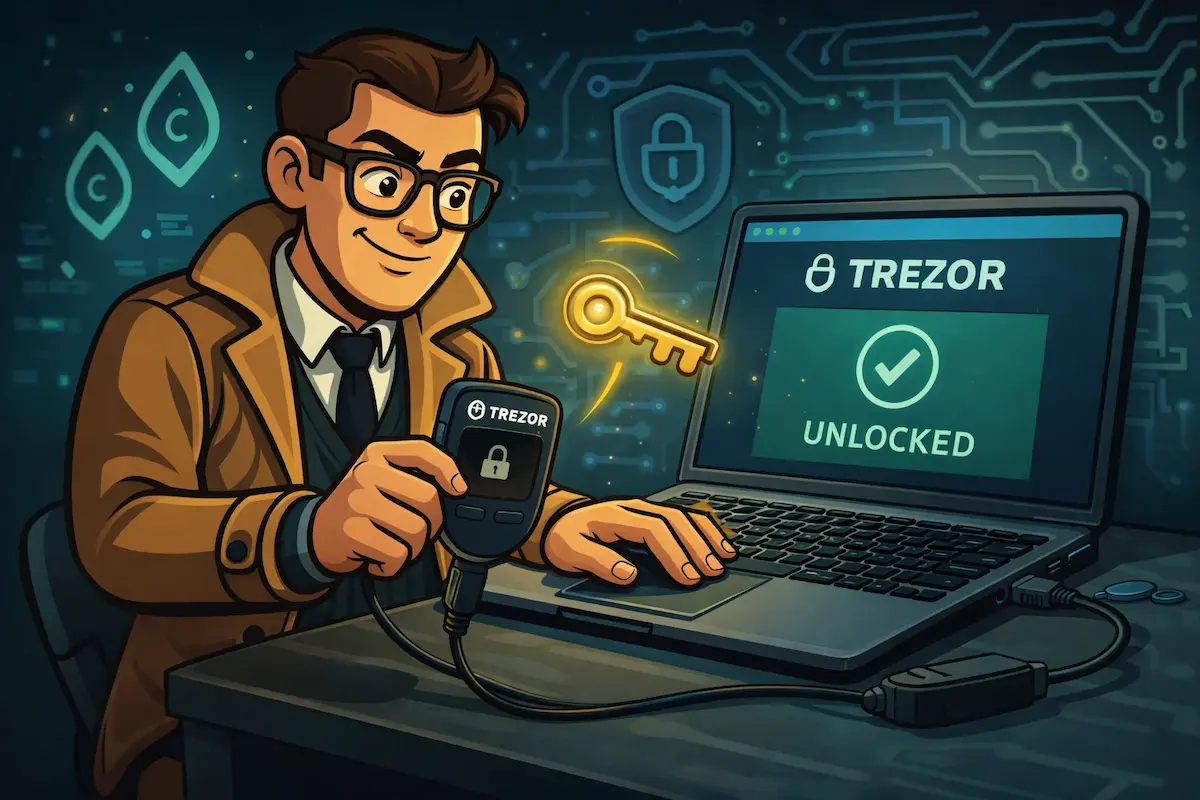
Locked out of your Trezor? Take a breath. Your crypto is almost certainly still safe on the blockchain.
Trezor is one of the most trusted hardware wallets for good reason: the EAL6+ secure element in newer models resists physical attacks, PIN brute-forcing is virtually impossible, and Shamir Backup lets you split your seed for extra protection. But even the most secure device has a human element. The most realistic risk isn’t theft, it’s losing your seed phrase, forgetting your PIN, or misplacing your passphrase.
This guide covers everything you need to know about Trezor wallet recovery: how to recover your Trezor wallet using your seed, what to do when funds appear missing, how to handle a lost or damaged device, and when it makes sense to turn to a professional Trezor recovery service.
How to Recover Your Trezor Wallet with a Seed
Before you begin, one important reminder: your seed phrase should only ever be entered on your official Trezor device or through Trezor Suite. Never type it into any website or app, and never share it with anyone. Keep it private.
- Connect your Trezor to your computer and launch Trezor Suite.
- Allow it to run an integrity check.
- Confirm your Trezor’s authenticity to the connected computer when prompted.
- Tap to continue.
- Work through the prompts until you see the Recover wallet option, then select Start recovery.
- The device will ask how many words your seed phrase contains. Depending on your model and backup type, this is 12, 20, or 24 words. Some older BIP39 setups used 18 words, so if that’s what you wrote down, enter 18.
- After confirming the word count, you’ll be prompted to enter the first word. A helpful note if you’ve used older mobile phones: the input method on older Trezor models uses a T9-style keypad, the same one from early phones. Tap once for the first letter, twice quickly for the second, three times for the third.
- Once all words are entered, Trezor Suite confirms that recovery is complete. You’ll then set a new PIN on your device, after which your full balance becomes visible. If certain coins don’t appear by default, enable them manually, then head into Trezor Suite to manage your funds.
If you don’t remember your PIN, you’ll need to wipe the device via the bootloader before recovering with your seed. Connect the device while holding the button (Model One) or swiping the screen (Model T and Safe models) to reach the reset option. Our guide on a forgotten Trezor PIN walks through this safely.
How to Access Your Trezor Wallet on Different Hardware
If you’d like to recover your Trezor using different hardware or a software wallet, first confirm that it supports the BIP39 standard. You won’t need your PIN, just your valid seed phrase. Steps vary by wallet, but in general: open the new wallet, find the “Recover wallet using seed” option, and enter your words in the correct order.
If your funds don’t appear after recovery, the issue is most likely related to derivation paths. You may need to set these manually, depending on the wallet. As a reference:
- Bitcoin: m/44’/0’/0’/0/0 (Legacy), m/49’/0’/0’/0/0 (SegWit), m/84’/0’/0’/0/0 (Native SegWit)
- Ethereum: m/44’/60’/0’/0/0
- Litecoin and others: m/44’/2’ (varies, start with m/44’ and use auto-scan if available)
For large amounts, a hardware wallet remains the safest option. For quick recovery with automatic path detection, the Electrum software wallet is a reliable choice.
One reassuring note: if a secondary wallet shows a slightly different balance after recovery, say Daedalus displays 275 ADA while Trezor shows 273 ADA, trust the Trezor figure. Minor discrepancies like this are usually caused by different derivation-path interpretations across wallets, not missing funds.
Dry Run: Verifying Your Seed Every Year
Trezor includes a built-in dry-run feature that lets you verify your seed phrase without exposing your balance. It’s worth doing once a year, and always before wiping your device.
The process is consistent across models: connect and unlock your Trezor in Suite using your PIN, go to Settings, and select Check recovery seed. Enter your words, and the device returns either a reassuring “Backup OK” confirmation or a mismatch error. No balance is ever shown during this process, so it’s completely safe to run.
Trezor Lost or Damaged?
There’s no need to panic. Your funds are entirely safe even if the screen breaks, the hardware is damaged, or the device is lost. No one can bypass both the seed and the PIN. The recommended course of action is to act promptly and transfer your funds to a fresh wallet using the “Restore wallet using seed” option.
The essential thing is to have your seed phrase on hand. When using a software wallet for recovery, enter your seed on an air-gapped computer, one that is not connected to the internet, for maximum security.
Every few months, Crypto Recovers receives requests to physically extract and read a Trezor chip without a seed. To be clear: this is not possible. The data on the chip is encrypted using your seed and passphrase. No one can interfere with the blockchain, not Trezor, and not any recovery service. The EAL6+ secure element used in newer models is among the most secure available.
Invalid Seed Message
Around 8 out of 10 clients who come to us for Trezor recovery are dealing with an invalid seed error. Before reaching out for help, it’s worth taking these steps yourself:
- Cross-reference every word against the official BIP39 wordlist and check carefully for typos or misspellings.
- Confirm the word count is correct for your backup: 12, 20, or 24 words (or 18 for some older BIP39 setups).
- If your words were written down in no particular order, try systematically rearranging them. GPU-assisted software can speed this up a lot.
Recovering a few missing words of a Trezor seed phrase is very manageable. However, if five or more words are missing, the chance of a successful recovery becomes slim.
Trezor Wallet Not Syncing
This is usually a server-lag issue, and the fix is often straightforward: close all Trezor apps or browser tabs, temporarily disable your VPN or antivirus software, and restart Trezor Suite or your computer.
One common point of confusion is worth mentioning: entering the wrong passphrase can look exactly like a syncing problem. Instead of an error, a new empty account is silently generated. If your wallet looks empty and unresponsive, double-check your passphrase for spaces, caps lock, or extra characters before assuming it’s a sync issue.
If specific accounts are missing, go to the dashboard, press the plus button, and manually enable all the account types you use: Bitcoin Legacy, SegWit, Native SegWit, ETH tokens, and so on.
Firmware Update Issues
If a firmware update is interrupted, whether from a disconnected USB cable, impatience, or a buggy version, the screen may go blank, the device may freeze on the logo, or your computer may fail to detect it. This is unsettling, but not a crisis.
Remember: your crypto is not stored on the device itself. The device is a portal to the blockchain. All you need to do is reconnect to Trezor Suite, install the latest firmware, and recover your wallet using your seed.
A specific note for anyone on Trezor One firmware 1.6.1: according to Trezor, this version is wiped automatically when you update to a newer version, because of changes in how data is stored and verified. That’s another reason to keep your seed backup safe and to run a dry run of your seed at least once a year as a routine check. Never update old firmware unless your backup is stored and accessible.
Shamir Backup (SLIP-39) Recovery Fails
The Trezor Model T and the Trezor Safe family (Safe 3, Safe 5, and Safe 7) let you split your recovery phrase into separate shares using SLIP-39. Each share is 20 words long (128-bit security) or 33 words (256-bit security, generated via advanced settings). If you don’t have enough shares to meet the required threshold, recovery won’t be possible. Just as with a regular seed, you need the minimum number of shares, and each must be entered correctly, because a single typo renders a share invalid.
It’s also important to keep in mind that standard Trezor mnemonics use BIP39, while Shamir Backup uses its own system, SLIP-39. Mixing parts of BIP39 and SLIP-39, or providing only 2 of 3 required shares, will leave the wallet inaccessible. The Trezor Model One uses BIP39 only and does not support Shamir Backup.
Missing Funds During Trezor Recovery
Before drawing any conclusions, take a breath. An empty screen after recovery is usually one of two straightforward things: a derivation-path mismatch (covered above), or the need for a 25th word (passphrase) to unlock your hidden wallet.
The hidden wallet feature is a deliberate security layer. If someone were to obtain your seed phrase, they’d only see an empty wallet without the passphrase. By entering the correct passphrase, Trezor reveals your actual addresses and balance.
If you’ve forgotten your Trezor passphrase, the recommended first step is to work systematically through every password variation you’ve used before. If that doesn’t resolve it, professional passphrase restoration services are available. On the other hand, if your passphrase has always worked and suddenly doesn’t, look closely: in most cases it turns out to be a simple typo.
Invalid PIN
If you’re entering an incorrect Trezor PIN, proceed with caution. Repeated failed attempts will eventually trigger the device wipe. It’s best to stop guessing and set the device aside while you plan.
Locate your seed phrase backup. If you have it, you are completely safe. A wipe is not a problem at all when your seed words are correct. Simply perform a bootloader reset (steps vary by model) and use your seed to regain access to your funds. Each wrong PIN attempt increases your wait time, and after the model’s limit the wallet resets to factory settings.
Security Rules During Trezor Wallet Recovery
Over the past year, the volume of stolen-crypto scam requests reaching Crypto Recovers has risen sharply. Many people are still unknowingly putting their funds at risk by sharing their seed phrase with the wrong parties.
Never enter your Trezor seed phrase or passphrase on any website, and never share it with anyone outside of Trezor Suite or the Trezor device itself. Malicious websites appear daily, frequently securing top spots in search results, and use tactics like false urgency or promises of quick returns to trick people into handing over their credentials. Trust only official wallet websites and established recovery services with a verifiable track record.
When engaging any recovery service, be especially cautious if they pressure you for upfront payment or guarantee a 100% success rate. No legitimate service can promise that. A trustworthy provider will always be available for a consultation and should be able to share business credentials and registration details on request.
Why Work with Crypto Recovers
At Crypto Recovers, we’ve helped 200+ clients around the world regain access to their wallets. Our team understands the anxiety of losing access to your own crypto, because we’ve sat across from that situation hundreds of times.
Our standard fee is 20% of the recovered amount, payable only after a successful recovery, never upfront. For larger amounts, we may negotiate the percentage in your favour. Most seed, passphrase, and wallet issues are resolved within a week. If you’d like an honest assessment of your situation before committing to anything, get in touch. We’re happy to talk it through first.
Trezor Wallet Recovery FAQ
Can I recover my Trezor wallet with a partial seed phrase?
Usually you need the complete recovery phrase. If only a couple of words are missing, try verifying the rest manually first, or reach out to a recovery service. The fewer words missing, the better your odds.
How do I fix the “Trezor Bridge not running” error?
Reinstall the latest Trezor Bridge from trezor.io, then restart your browser and computer. If it persists, check whether a browser extension is blocking it.
Why does my Trezor keep disconnecting?
This is usually a cable, USB-port, or power issue. Try a new data cable, a different USB port, and disconnect other USB devices, or try another computer.
How can I protect my Trezor wallet from phishing attacks?
Only use the official Trezor Suite or trezor.io links. Never type your seed phrase on a website or into a phone or computer app.
Can a firmware update cause loss of funds on a Trezor?
No. Your coins stay on the blockchain. You only lose access if your recovery seed or passphrase is wrong or missing, which is why you keep your backup safe before updating.
How can I access my Trezor wallet without the device or seed?
You can’t. Without either a working device plus its PIN, or the correct recovery seed (and passphrase, if you set one), the wallet cannot be restored by you, by Trezor, or by any service.