
Blog
wallet.dat Password Recovery: Recover & Open a Locked wallet.dat File

In short
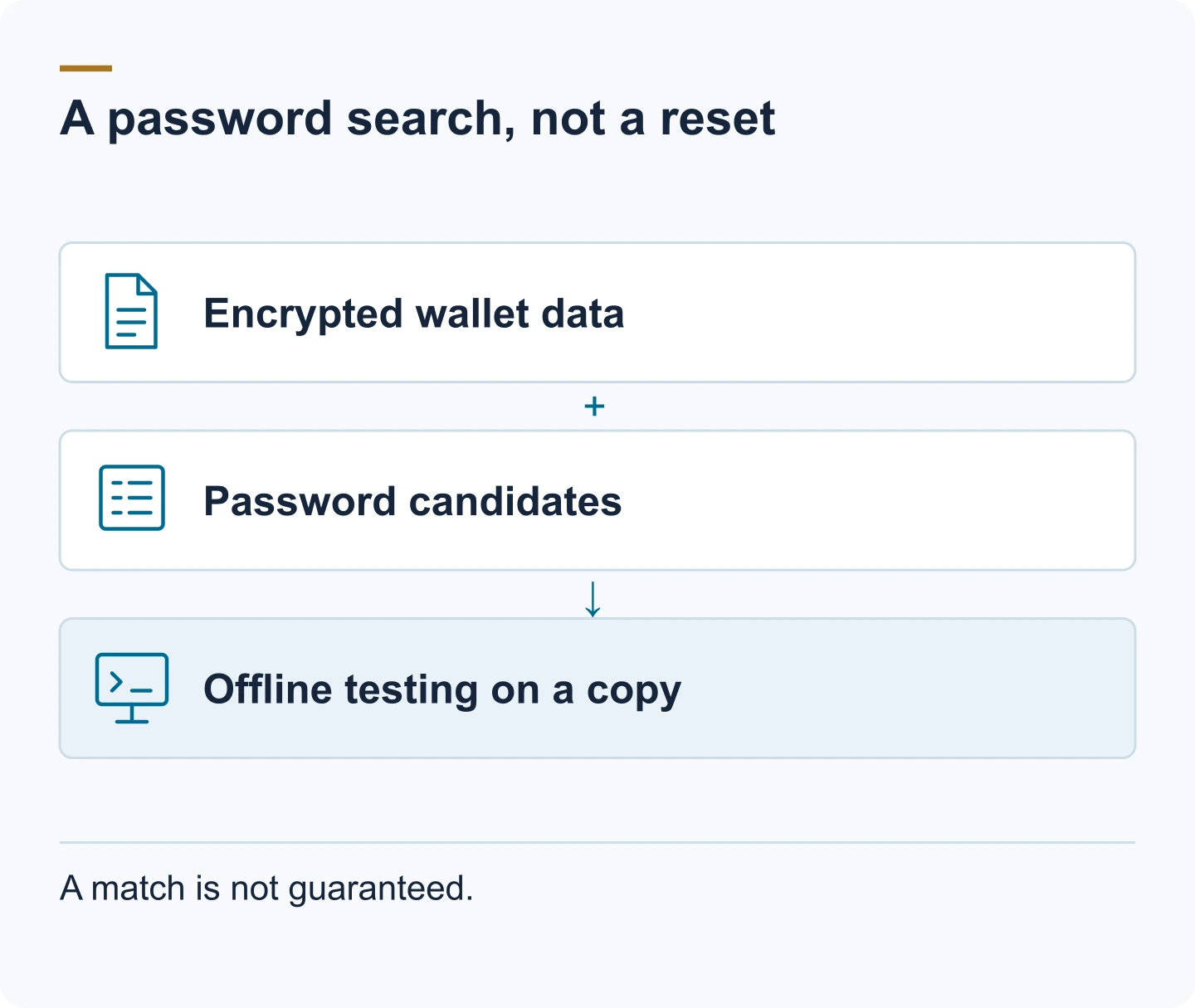
wallet.dat password recovery tests candidate passwords offline against a copy of the encrypted file or a suitable extracted hash. First preserve the original and identify the coin, wallet software and database format.
- Wordlists, rules, masks and typo variations narrow the search. Test likely patterns first and benchmark the actual file’s encryption settings; hardware alone cannot make an unrestricted search practical.
- Check older backups, which may use an earlier password. Deleted or damaged files need separate data-recovery work, and watch-only files contain no private keys to unlock.
- If a password is found, open a copy in compatible software, follow any required migration procedure and verify the addresses before moving funds. Keep updated backups and a separate, secure password record.

You have the wallet.dat file, or a backup of it, and the password that opens it is gone. Before you type a single guess, it's worth understanding what that password actually protects: it decides what a search can do, how long it takes and why it must run against a copy.
wallet.dat password recovery means testing candidate passwords against the file until one fits and decrypts the file, which is what people mean by brute-forcing a Bitcoin wallet file. Whether that can work depends on the length and character composition of the password and on how much of it you still remember. This guide covers the search and the methods that narrow it, how to open a wallet.dat file once you have the password, and how to protect the file from here on.
What wallet.dat actually is
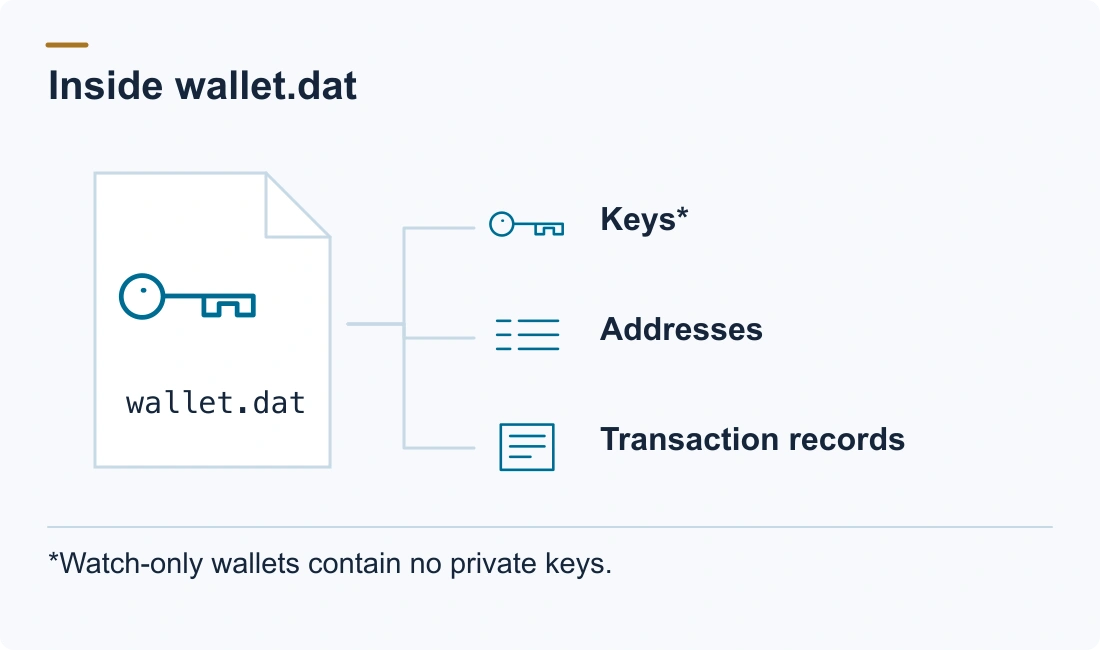
wallet.dat is the wallet file of Bitcoin Core and its forks; Litecoin Core, Dogecoin Core, Dash Core and others use the same mechanism under different names and folders. It stores your keys, addresses and transaction history. The format matters because it decides which software can open the file; for password recovery, the important part is that the keys inside are encrypted. For the Dogecoin specifics, see our guide to Dogecoin Core password recovery.
Where the file lives
- Bitcoin Core (Windows):
%LOCALAPPDATA%\Bitcoin\wallets\wallet.daton installs set up with Bitcoin Core 28.0 or later; older installs keep%APPDATA%\Bitcoin\wallets\wallet.dat, or%APPDATA%\Bitcoin\wallet.daton the oldest ones - Bitcoin Core (macOS):
~/Library/Application Support/Bitcoin/wallets/wallet.dat - Bitcoin Core (Linux):
~/.bitcoin/wallets/wallet.dat - Litecoin Core: the same layout under
~/.litecoinor%APPDATA%\Litecoin - Dogecoin Core: under
~/.dogecoinor%APPDATA%\Dogecoin
A wallet you gave a name sits in its own subfolder, such as wallets/[name]/wallet.dat. Bitcoin Core 28.0 moved the default Windows folder from AppData\Roaming to AppData\Local, but it keeps using the old folder when that already exists (Bitcoin Core 28.0 release notes).
If a wallet was ever damaged and repaired, Bitcoin Core leaves a timestamped backup (wallet.dat.[timestamp].bak) in the same folder. That recovered copy is sometimes a better search target than the repaired main file. When Bitcoin Core migrates a legacy wallet, it first saves the original as [name]-[timestamp].legacy.bak in that wallet's folder.
What's inside
Wallets created before Bitcoin Core 23.0 are usually legacy wallets in the Berkeley DB format, which store keys directly, along with addresses, keypool counters and transaction history. Descriptor wallets, introduced in 0.21 and the default since 23.0, use SQLite and can store an encrypted HD seed. Either way, the private keys — or the seed that derives them — are what the password protects.
How the encryption works
Bitcoin Core doesn't encrypt keys one by one with your password. It works with two layers:
- When you encrypt the wallet, Bitcoin Core generates a random master key (the "mkey") and uses it to encrypt the actual key material with AES-256-CBC.
- It then encrypts that master key with a key derived from your password. The derivation repeats many hashing rounds on purpose (historically through EVP_BytesToKey, OpenSSL's password-to-key routine, with SHA-512 and the number of rounds stored in the file).
That deliberate repetition is the whole reason password recovery is a search problem rather than a reset. The search has to run every candidate password through that derivation and check it against the encrypted master key, and each attempt costs real CPU time. Bitcoin Core picks the number of rounds so that one check takes about a tenth of a second on the computer that encrypts the wallet, and never uses fewer than 25,000. That is also why an old wallet is faster to search than a new one: wallets encrypted years ago stored a lower iteration count, so each guess is cheaper than on a wallet encrypted with modern settings.
Two practical consequences follow:
- What the search needs is the file, not a password you remember using on some other service. Without the file (or a backup of it), there's nothing to search.
- Where the format allows it, the search runs against an extracted hash of the encrypted master key instead of the live file: a short text line beginning
$bitcoin$, which a helper script such as bitcoin2john pulls out of the wallet. That means you never have to send the file itself anywhere, and a wrong tool can't damage your only copy.
What a recovery search needs
- An exact copy of the file — never the original. Record its SHA-256 hash first so you can prove later that nothing changed.
- Everything you remember about the password: length, structure, words, dates, capitals, substitutions, and habits from that era.
- The wallet version and format, if you can determine them (old Berkeley DB vs modern descriptor wallet; the stored iteration count).
- The keyboard layout and character set you were using when you set the password: a capital or symbol that "doesn't work" is often an encoding difference, not a wrong password.
The candidate strategy affects the size of the search. A search that includes a pattern such as "started with the dog's name and ended in a two-digit year" is a different technical problem from a broader search.
Feasibility: what decides it
If you remember the pattern (a base word plus a few unknown slots), a bounded search is often realistic, in minutes to days depending on how much is unknown. If you remember the general shape but not the exact characters, the same applies as long as the unknown part stays small. If there is no wallet.dat and no backup, there is nothing to search: a password can't be recovered from memory alone, and no service can change that.
A worked example makes the scale concrete. If your password was a single base word from a list of 10,000 possible words plus a four-digit year, the search space is roughly 10,000 × 10,000 = 100 million candidates: a bounded, often successful search. If the password was ten random characters drawn from a 90-character set, the space is about 90¹⁰ ≈ 3.5 × 10¹⁹, and a search of that size does not finish. Everything between those two examples is a question of how much structure you can still describe, and that is the honest limit an assessment has to establish before anyone commits.
How brute-forcing a wallet.dat password works
Brute-forcing in the strict sense means trying every combination of a character set across a range of lengths. The number of candidates is the size of the character set raised to the power of the length, so each extra unknown character multiplies the work. That is why a long password with no remembered structure is out of reach, and why the length and character composition you remember matter more than the hardware. Our reference on how wallet password recovery works explains the mechanism in more depth.
Two free, open-source wallet.dat recovery tools do this brute-force work systematically: hashcat, a general password-recovery tool that runs on graphics cards (GPUs) as well as processors, and BTCRecover, which is built for wallets and supports Bitcoin Core passwords. Both test candidates far faster than anyone can by hand, but neither can find a password that falls outside the candidates you define.
Choosing the right approach for wallet.dat recovery
The right method follows from what you remember about the password, not from the tool:
- Dictionary attack, also called a wordlist attack: tests every entry in a list of candidates, such as your own words, names and old passwords. It fits a password built from words you can still list.
- Rule-based attack: applies rules to every word in the list, such as capitalizing the first letter, appending a year or replacing letters with symbols. hashcat describes its rules as a small language that can change, remove or add characters.
- Mask attack: fixes the structure you remember and varies only the unknown positions, for example one capital letter, five lowercase letters and a year.
- Hybrid attack: joins a wordlist and a mask, such as a known base word followed by unknown digits.
- Pure brute force: every combination of a character set and a length range. It is only realistic for a short unknown part.
Before choosing, assess the likely length, the character set and any patterns or styles you used at the time. Most real searches combine methods: a short list of your own words, a few rules, and a mask for the part you can't recall.
Brute-force techniques for wallet.dat recovery: length, character set and masks
hashcat lets you set the password length and the character set position by position. Built-in sets cover lowercase letters, uppercase letters, digits and symbols, and you can define custom sets. The --increment option runs the same mask for each length within a range, which helps when you remember the style of a password but not its exact length.
hashcat's mask attack documentation shows what structure is worth. A nine-character password made of a name and a year would take more than four years to exhaust by plain brute force at 100 million guesses per second, but about 40 minutes as a mask that follows the name-plus-year pattern. Every wallet.dat guess costs at least 25,000 hashing rounds, so that kind of narrowing matters even more here.
Optimizing the brute-force process for wallet.dat recovery
- Start from memory, not from the alphabet. A custom wordlist built from your own words, names, dates and old passwords is far smaller than any generic list, and rules then produce the variations you used to make.
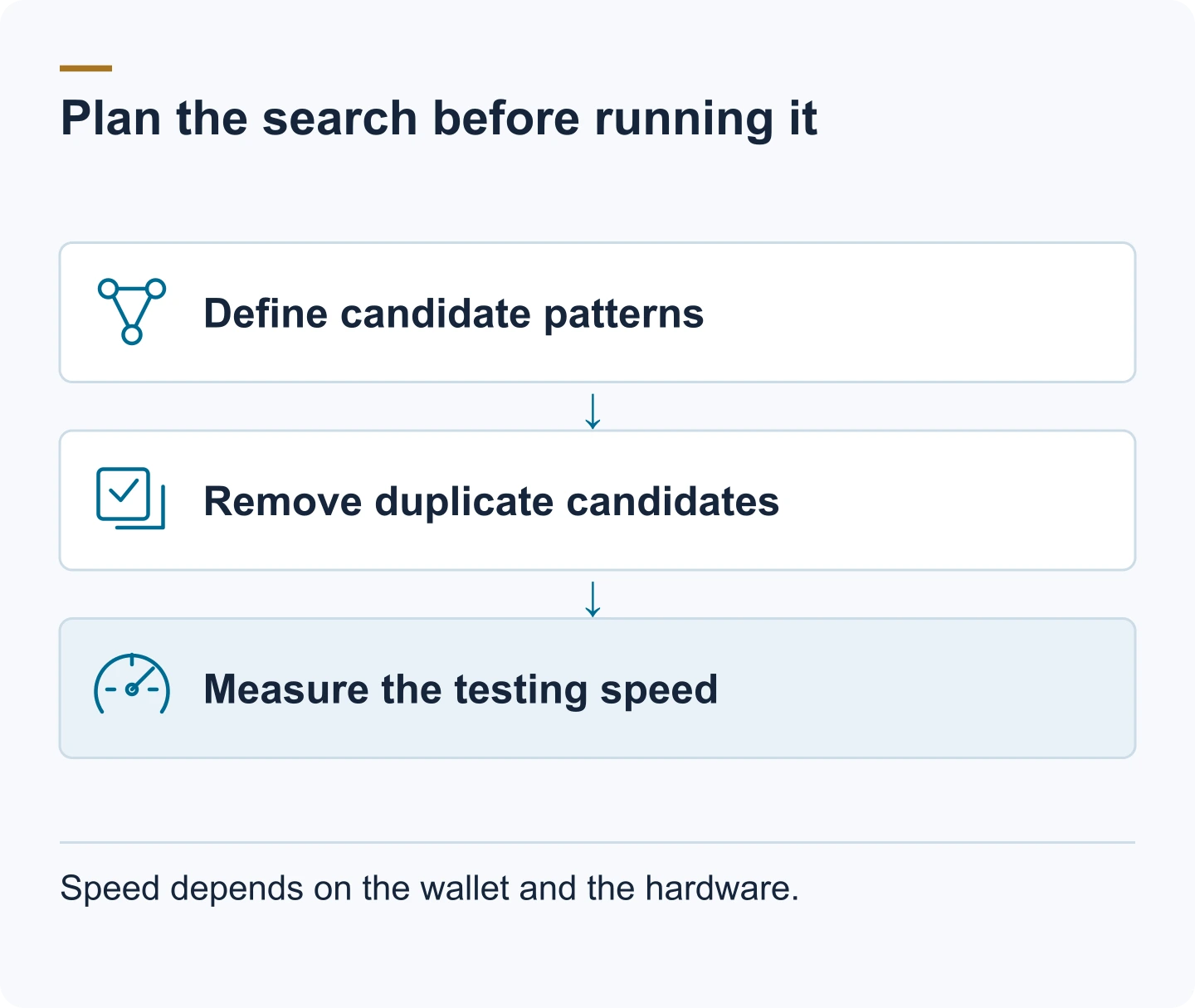
- Order by likelihood. Run the most probable patterns first and widen the search step by step, rather than launching one huge search.
- Remove duplicates. Overlapping lists and rules produce the same candidate many times, and each repeat costs a full wallet.dat check.
- Simulate typos. BTCRecover can generate typo variations of each candidate, such as Caps Lock left on, two swapped neighboring characters, a doubled or missing character, or one letter in the wrong case. That covers a password that was mistyped when it was set or written down wrong.
- Use GPUs where the tool supports them. hashcat runs on GPUs, and BTCRecover offers GPU acceleration for Bitcoin Core passwords.
- Measure before you commit. A short benchmark on the actual hash shows how many guesses per second your hardware manages for this wallet's iteration count, which turns the candidate count into a time estimate.
How to recover a wallet.dat password, step by step
Step 1 — Copy and hash
Copy wallet.dat (and the .bak, if present) to two separate locations before doing anything else. Record the SHA-256 of each copy. Everything from here on runs against a copy, never the original.
Step 2 — Identify the version and format
Determine which wallet you have: Berkeley DB (legacy) or SQLite descriptor wallet. The file command, the wallet's folder, and the Bitcoin Core version that last opened it all help. The format tells you which software can open the file and which extraction path the search will use.
Step 3 — Build the candidate list
Write down every password you can imagine using: words, names, dates, years, the pattern of capitals and symbols, and substitutions you habitually made. The more structure you recover from memory, the smaller the search.
Step 4 — Run the search offline
Run the search on a machine that isn't connected to the internet, against the copy or the extracted hash, with one of the brute-force tools described above. BTCRecover's token-list mode builds candidates from the fragments and rules you give it, and hashcat takes the $bitcoin$ hash directly (its wallet.dat mode is number 11300). Never paste the file, the hash or your password guesses into a website that offers to "check" them.
Step 5 — Open the wallet and move the funds
Once the search finds the password, open the wallet with the original software or a compatible client, verify the balance against a block explorer, then move the funds to a fresh wallet you create yourself. Treat the old wallet as retired. The next section shows how to open a wallet.dat file in current Bitcoin Core.
How to open a wallet.dat file
To open a wallet.dat file you need the file itself and, if it is encrypted, its password. Bitcoin Core is the standard software for a Bitcoin wallet.dat, while a Litecoin Core or Dogecoin Core file belongs in that coin's own client. Back up the file before you do anything else and open a copy, so that a failed load or migration can never touch the file you depend on.
Steps to open a wallet.dat file in Bitcoin Core
- Install the current release from the official Bitcoin Core download page, verify the download as the page describes, and start Bitcoin Core once so it sets up its data folder.
- Create a new folder inside the wallets folder, for example
wallets/old-wallet/, and place your copy there as wallet.dat. It then appears under that folder's name in File > Open Wallet. For a descriptor wallet, File > Restore Wallet… does the copying for you: select the file and give the wallet a name. - If File > Open Wallet shows the wallet greyed out as "needs migration", it is a legacy Berkeley DB wallet, which Bitcoin Core 30.0 and later can't load directly. Select it under File > Migrate Wallet instead. From version 31.0, File > Migrate Wallet > Restore and Migrate Wallet File… does the same from a copy stored elsewhere and leaves that file unchanged. Migration converts the wallet to a descriptor wallet and asks for the password first if the wallet is encrypted.
- Enter your password when Bitcoin Core asks for it. There is no separate unlock menu item; the GUI prompts for the passphrase when you send.
- Wait until Bitcoin Core has finished synchronizing, because until then it warns that the balance might be incorrect. Then check the addresses and balance, and send the funds to a new wallet you created yourself.
Never migrate with Bitcoin Core 30.0 or 30.1. Bitcoin Core warned that a failed migration in those versions could delete wallet files, and the fix shipped in 30.2. The Bitcoin Core wallet.dat recovery guide covers format checks, migration and missing balances in more detail.
Edge cases worth knowing
Bitcoin Core writes a timestamped .bak file when it repairs a damaged wallet. That backup may hold the same keys in a different, often older state, and sometimes it was encrypted with the password in use at that time, which makes it worth searching separately.
A wallet that was never encrypted has no password at all. The file opens without one; if it "asks for a password", you're looking at a different wallet or a corrupted file. And if you changed the password years ago, only the most recent one works: re-encrypting the wallet makes every older passphrase irrelevant.
Special characters cause the most common false negative. A symbol typed on a different keyboard layout produces different bytes, so testing the same password under another layout is part of the search, not a sign that your memory is wrong.
A deleted wallet.dat is a different problem. Stop using the drive immediately; deleted-file recovery or disk imaging comes first, and our guide on safe handling of old wallets and drives covers that step. Pruning, finally, affects blockchain data, not keys, and a watch-only wallet contains no private keys and nothing to recover.
Bought wallets
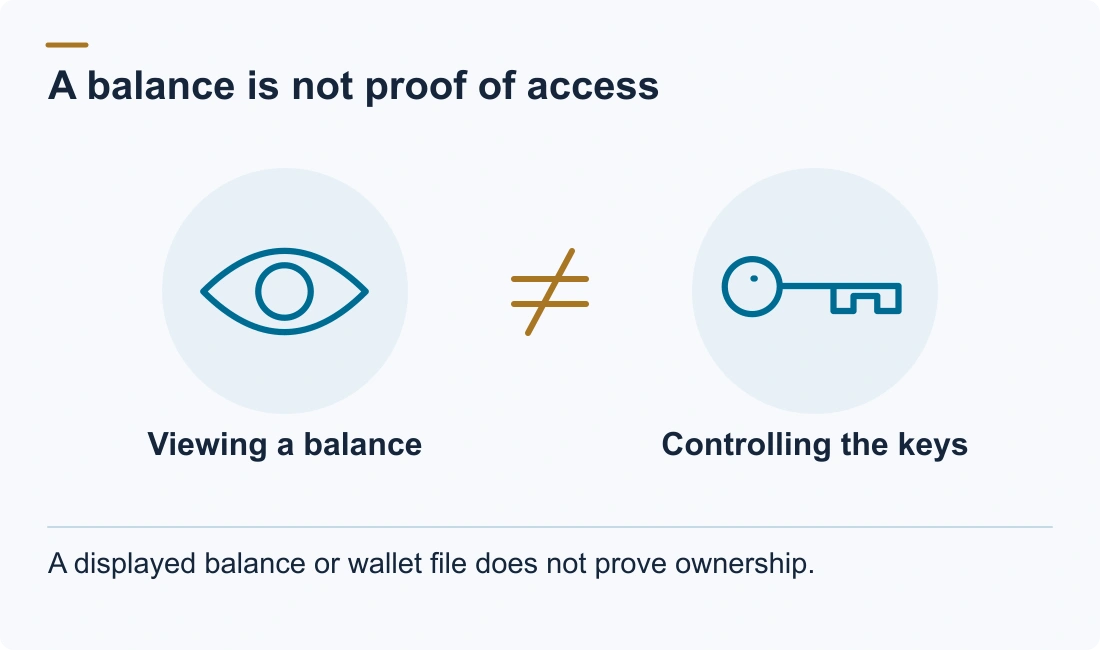
A wallet.dat, hash, or "wallet with a balance" bought from the internet will most likely not work: such files are often manipulated, and ownership cannot be proven. We can't help with bought wallets: recovery requires genuine ownership and real material, and a search needs more than a password length. The guide to crypto wallet for sale scams explains how these offers work.
Protecting your wallet.dat file
Once you have access again, a few habits keep the file and its password from turning into another recovery case. Robbert Bink, founder of Crypto Recovers, advises doing any recovery work offline where possible, and puts the first rule plainly: "We advise making at least two copies of the original wallet.dat and keeping them somewhere safe before you touch anything. Moreover, never upload the file to an unknown website or email it."
Use a strong and unique password you can reproduce
Bitcoin Core's encryption dialog recommends a passphrase of ten or more random characters, or eight or more words. Avoid common or guessable passwords, and don't reuse one from another service. Strength is only half of it: Bitcoin Core itself has no way to recover or reset a passphrase, and its wallet documentation warns that the coins are lost with it. Keep a written record of the password somewhere safe and separate from the wallet backups.
Regularly back up your wallet
Back up with File > Backup Wallet… rather than copying wallet.dat while Bitcoin Core is running; the backup function makes sure the file is in a safe state when the copy is made. Make a fresh backup straight after you encrypt the wallet or change its password, because encryption generates a new HD seed and coins received to it are missing from older backups. Wallets created before Bitcoin Core 0.13 are not HD and need a new backup after every 100 keys used. For any wallet, regular backups also keep labels and other metadata that a blockchain rescan cannot restore.
Store backups in secure locations
Keep backups on one or more offline devices that are reliable enough to work in an emergency, such as an encrypted external drive, and test them now and then. Bitcoin Core's guide also suggests not connecting a backup to an online device, so malware on that computer can't reach it. If the wallet file and every backup are lost, the coins in that wallet are permanently out of reach.
Keep software and systems up to date
Install Bitcoin Core only from its official site, verify each download and keep the operating system patched: Bitcoin Core itself warns that wallet encryption cannot fully protect your bitcoins from malware on the computer. Read the release notes before upgrading a machine that holds an old wallet, because Bitcoin Core 30.0 stopped loading legacy wallets, which now have to be migrated as described above.
Expert wallet.dat recovery services: when they make sense
Recovering a wallet.dat file depends first on what went wrong. Most cases fall into one of three situations:
- You forgot the password. The file is intact and encrypted, and the password search described above applies.
- You lost the file. It isn't in the folders listed above, or the computer is gone. Check old drives and backups, and see the guide to finding a lost Bitcoin wallet.
- The file is corrupted and won't load. Work only on copies, and read about corrupted wallet-file recovery before trying any repair.
If you have worked through your own candidates and still can't open an old Bitcoin wallet, that is the point where a specialist's assessment is worth having. Crypto Recovers, based in Amsterdam, has done wallet recoveries since 2019 and works only for rightful owners.
A specialist runs the same kind of search under the same limits, with two differences: the feasibility judgment comes before you commit, and the wallet file never travels through a form or chat, because the search runs on an extracted hash or a copy. Describe what you have and what you remember in a confidential assessment, and you get a plain answer on whether the search is realistic. We agree no recovery, no fee in writing before work starts.
FAQ: wallet.dat file recovery
What is wallet.dat password recovery?
It's the process of finding the forgotten password of an encrypted wallet.dat file, the wallet file of Bitcoin Core and related clients such as Litecoin Core and Dogecoin Core. The file holds encrypted keys, not the coins themselves, so recovery means testing candidate passwords against a copy of the file or an extracted hash until one decrypts it.
Can wallet.dat be recovered without the password?
Only if the wallet was never encrypted, in which case no password is needed. If it was encrypted and the password is gone, recovery means testing candidates against a copy of the file. There's no backdoor, and no service can decrypt it without the password or the material to search.
How does brute-forcing work for wallet.dat password recovery?
A tool generates candidate passwords and runs each one through the same key derivation Bitcoin Core used, then checks whether the result decrypts the wallet's master key. A pure brute-force search tries every combination of a character set and length, so the number of candidates grows with every extra character. Because each check costs at least 25,000 hashing rounds, an open-ended search on a long password does not finish.
Are there alternative methods for wallet.dat password recovery?
Yes. Dictionary attacks test your own list of likely passwords, rule-based attacks vary each entry, mask attacks fill in only the unknown positions of a known structure, and hybrid attacks join a word with a mask. Typo simulation tests the mistakes you might have made when setting the password. Outside guessing, check older backups and .bak files, which may use an earlier password you remember better.
What factors affect the success of brute-forcing for wallet.dat password recovery?
Four things: the size of the candidate space (length, character set and how much structure you remember), the cost of each guess (the iteration count stored when the wallet was encrypted), the speed of the hardware, and whether your assumptions are right. A mask that excludes the real password will never find it, however fast it runs.
How can the brute-force process be optimized for wallet.dat password recovery?
Build candidates from what you remember instead of the whole alphabet, test the most likely patterns first, remove duplicates, add rules and typo variations, and use GPU acceleration where the tool supports it. Benchmark on the actual hash first, so you know how long the planned search will take before you start it.
How long does a wallet.dat password search take?
It depends on the size of the candidate space and on how expensive each guess is. A base word plus a year is about 100 million candidates, which a bounded search gets through in minutes to days; ten random characters is about 3.5 × 10¹⁹, which it never gets through. An old wallet with a low iteration count tests faster than a new one. The free assessment gives a case-specific estimate, never a guarantee.
Does wallet.dat contain a seed phrase?
Bitcoin Core wallets created since version 0.13 store an HD seed, encrypted inside the file; older wallets store individual keys. Bitcoin Core never creates a 12- or 24-word phrase and cannot import one, so the wallet file itself is the backup.
Does the wallet version matter for recovery?
Yes. The format (Berkeley DB vs SQLite descriptor wallet) decides which software can open the file and which extraction path the search uses, and the stored iteration count decides how expensive each password guess is, which is why older wallets are faster to search than new ones.
What if my wallet.dat was deleted?
Stop using the drive immediately and work from a copy or disk image. If no copy exists anywhere, deleted-file recovery on the original drive is the only route; see the guide on safe handling of old wallets and drives.
How can I protect my wallet.dat file against password loss?
Use a passphrase you can reproduce, keep a written copy apart from the wallet file, and back up with File > Backup Wallet… again after every encryption or password change. Store backups on reliable offline media, test them, and install Bitcoin Core updates only from the official site after reading the release notes.
Where can I find expert wallet.dat password recovery services?
Crypto Recovers assesses wallet.dat password recovery for Bitcoin Core and related wallets on a no recovery, no fee basis, and the first assessment needs only a description, no wallet file or password. Whichever service you consider, check it against the points in how to find legitimate crypto recovery companies before you share anything.
Can wallet.dat password recovery return stolen crypto?
Recovering a wallet.dat password can restore access to the keys stored in that file; it cannot reverse a confirmed blockchain transaction. We assess wallet access recovery for verified rightful owners and do not handle stolen-funds or scam cases.