Your Ledger device is gone: lost in a move, physically broken, stolen, or simply dead after years of use. The question most people ask first is whether their funds went with it. They didn’t. Your Bitcoin, Ethereum, and any other assets held through the wallet exist on the blockchain, not on a chip inside the device. What the Ledger stored were the private keys that prove you control specific addresses. As long as you have a way to regenerate those keys, you can restore full access without the original hardware.
What you actually need
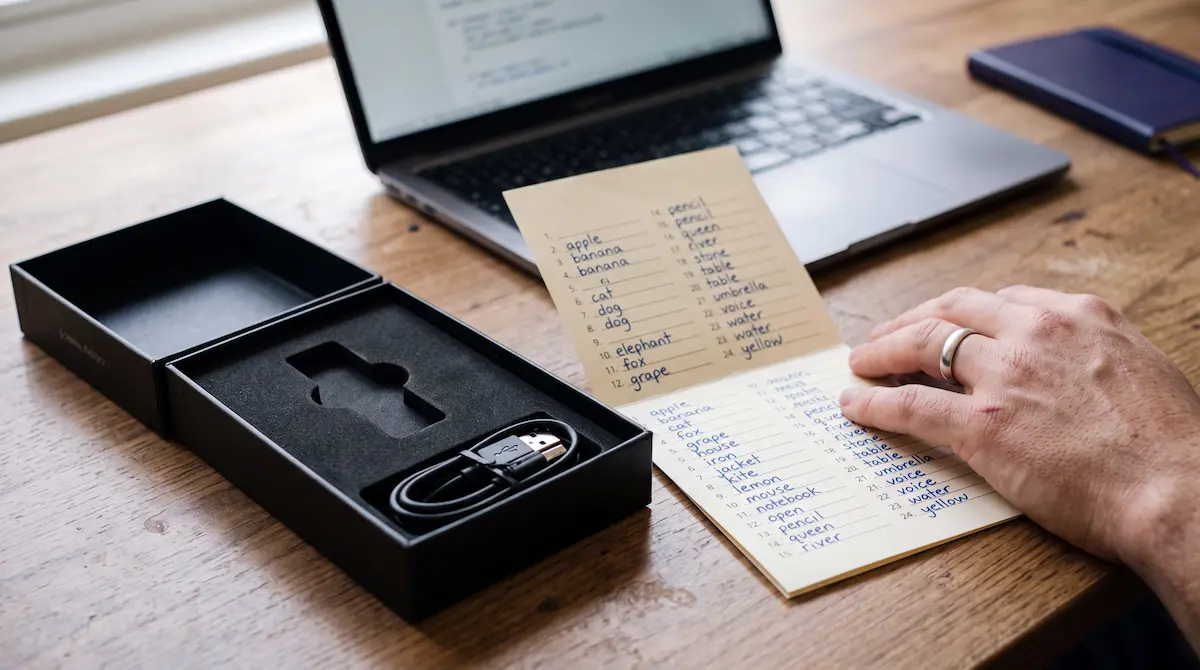
The only information required to restore a Ledger wallet is your 24-word BIP39 recovery phrase. Those 24 words, in the correct order, are sufficient to regenerate every private key in your wallet on any BIP39-compatible hardware or software wallet. Your accounts, balances, and full transaction history reappear as soon as the restored wallet syncs with the blockchain. If you also used a BIP39 passphrase (the optional 25th word that creates a hidden wallet layer), you’ll need that as well to access those accounts. If your phrase is incomplete or you’re uncertain about some words, the recovery options for that situation are covered here.
Restoring on a new Ledger device
Order a replacement from ledger.com or from an officially listed authorized reseller. Avoid marketplaces, where counterfeit devices have been documented. When the device arrives and you run through the initial setup, choose ‘Restore from recovery phrase’ rather than ‘Set up as new device’. Enter your 24 words in the original order. The device verifies the BIP39 checksum after the final word, and if the phrase is correct, regenerates all private keys. Open Ledger Live, re-add your accounts, and balances load from the blockchain.
Restoring on a different hardware wallet
Because Ledger uses the BIP39 standard, your seed phrase works on most other hardware wallets: Trezor, Coldcard, BitBox, and others. Select the seed restoration option during setup and enter your 24 words in order. The wallet derives private keys from the phrase using the same standardised cryptographic process, so your accounts are identical regardless of which hardware you use. Note: if you used Ledger-specific account derivation paths for any assets, those accounts may not appear automatically on a different device. Standard Bitcoin and Ethereum accounts are not affected.
Restoring using a software wallet
If you need access immediately and can’t wait for replacement hardware, you can import your seed phrase into a software wallet: Electrum for Bitcoin, MetaMask for Ethereum, Exodus for multiple assets. Your balances appear as soon as the wallet syncs. This is a lower-security option than hardware storage. A software wallet on a connected device is more exposed to malware and phishing than a hardware device with an air-gapped Secure Element. So treat it as a temporary measure. Move significant amounts to new hardware storage as soon as it’s available.
If the device was stolen
The thief can’t access your funds without your PIN. After three incorrect attempts, the device wipes itself. This is the same security feature that locks out anyone who forgets their own PIN. Your coins are safe as long as your recovery phrase was stored separately and wasn’t accessible alongside the device. If there’s any possibility it was, transfer everything to a fresh wallet with a new seed phrase before assuming the current situation is secure.
Restoring with a passphrase
Restore the base 24 words first. Once that’s complete, go to Settings > Security > Add passphrase on the device to attach it and access the hidden wallet. Both pieces are required: entering only the 24 words opens the base wallet, not the hidden one. If you’ve forgotten the passphrase, that’s a separate problem with its own set of approaches. Passphrase recovery is covered here. It’s worth reading before you assume the hidden wallet is permanently inaccessible.
If you don’t have the recovery phrase
Without the 24-word phrase, standard restoration isn’t possible. But if you have a partial phrase (words missing, words uncertain, a damaged card), there are recovery approaches that can help depending on how much of the original phrase remains. Get a free Ledger wallet recovery assessment and we’ll tell you honestly what’s technically viable given your specific situation, before any commitment is made.