
Take a breath — if you’ve been locked out of your MyEtherWallet (MEW) account, your funds are very likely still sitting there, exactly where you left them. MEW is an Ethereum wallet interface that lets you hold ETH and ERC-20 tokens directly on the blockchain. It’s a non-custodial wallet, which means you’re the only person responsible for your private keys and seed — but it also means the money itself lives on the blockchain, and MEW is simply the door you walk through to reach it.
Think of it like a window into your funds: losing the window doesn’t erase what’s behind it. That said, old MEW is an interface designed to send transactions through nodes, so the safest option for recovery is through the mobile app or browser extension, since using the web can expose your private keys.
“MEW recovery is one of the easiest places to get tricked in crypto. Before you type your seed phrase, private key, or keystore file anywhere — make sure you’re on www.myetherwallet.com. These fake sites look exactly like the real thing. The second you type your phrase in, it’s gone. Never enter anything on a site you got to through an ad, a link someone sent you, or a search result you’re not 100% sure about. When you’re not sure — just type the address in yourself. That one habit has saved more people than anything else I know.”
— Robbert Bink, Founder of Crypto Recovers
How to Recover MyEtherWallet
Don’t panic. There are several ways to restore access, and let’s walk through each one together:
- Importing your seed phrase
- Using a wallet file (.json)
- Using your private keys
- Connecting to a hardware wallet and entering the seed
⚠️ Watch out for recovery scams: Fraudulent “wallet recovery” services are widespread. Red flags include: unsolicited contact, upfront fees before any work is done, guaranteed results, requests for your full seed phrase or private key via email or chat, and no verifiable track record. If something feels off, trust that instinct.
Access MEW Funds Using Seed Phrase
Valid seed phrase recovery is the safest and easiest path back in. The most important thing is to have your words in the same order as when you first received them — when you set up the wallet, you were asked to confirm that order precisely so this moment would be straightforward. Take your time, look carefully for typos, and remember: even a single wrong letter will make the entire phrase invalid.
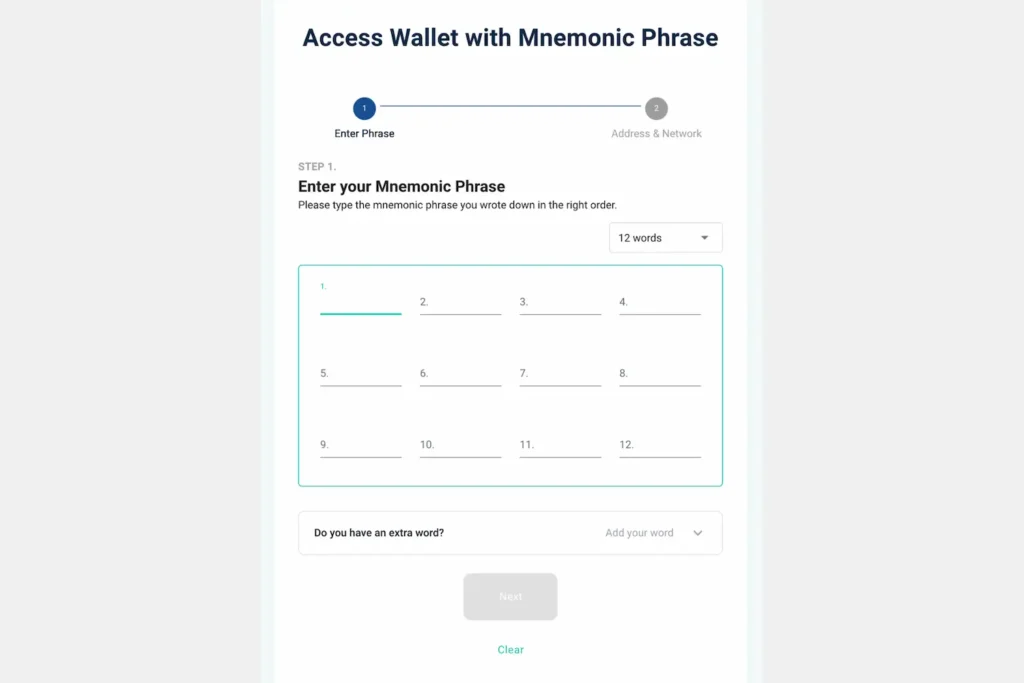
MEW Recovery steps:
- Go to the official MEW website or MEW Wallet app.
- Choose “I already have a wallet.”
- When asked “Do you have your recovery phrase handy?” click “Continue.”
- Enter your seed phrase. There will be 24 slots — if you have a 12-word seed, just type it in and click the green “Restore” button.
- Create a PIN and confirm it.
- You’ll see: “Your wallet is now ready.” And just like that, you’re back in.
The safest way to access your Ethereum through MyEtherWallet is by using the Enkrypt browser extension, as it is the most secure option. You can import your seed phrase after setting up the extension.
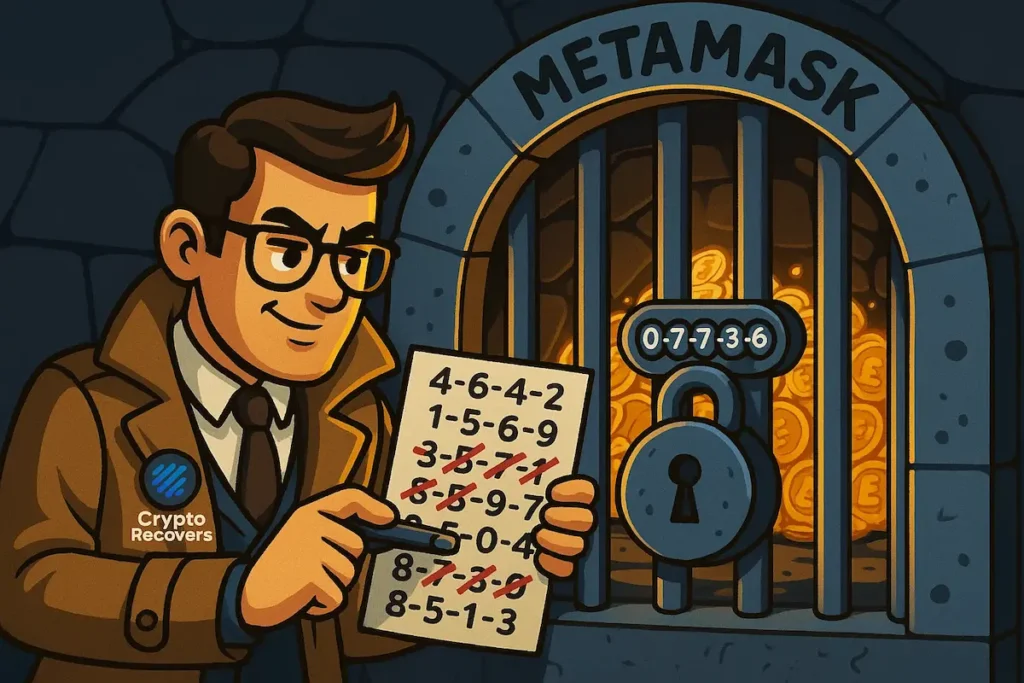
If you’re missing a few words or can’t quite get the order right, before assuming it’s lost, know that it is possible to reconstruct the phrase with professional help using brute forcing and dictionary attack techniques.
Recover MyEtherWallet Using Private Keys
This method requires a valid private key extracted beforehand, and it’s worth being careful here — if you expose it even once, your funds could be at risk. That said, if you’ve lost your seed phrase completely, this may be your last resort.
The private key is a 64-character string and may start with 0x.
Recovery steps:
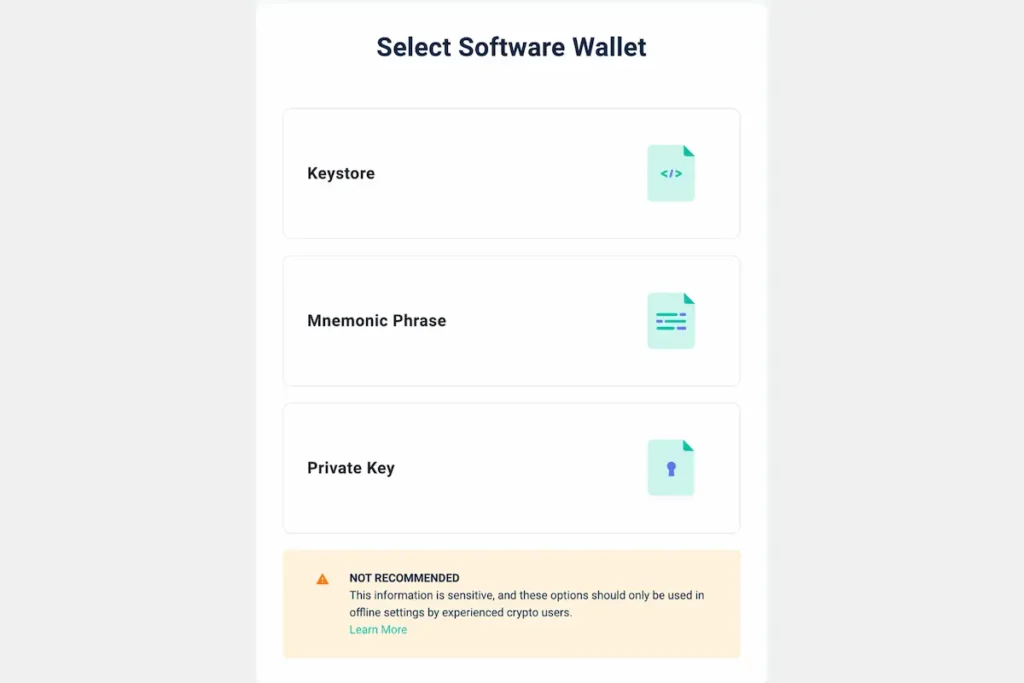
- Go to the official MEW website and choose “Software.” This is not recommended by the developers, but it remains an option. Do this offline only.
- Choose “Private Key.”
- Paste the private key and accept the wallet terms.
- If the key is correct, you’ll see your balance on screen without any syncing delay.
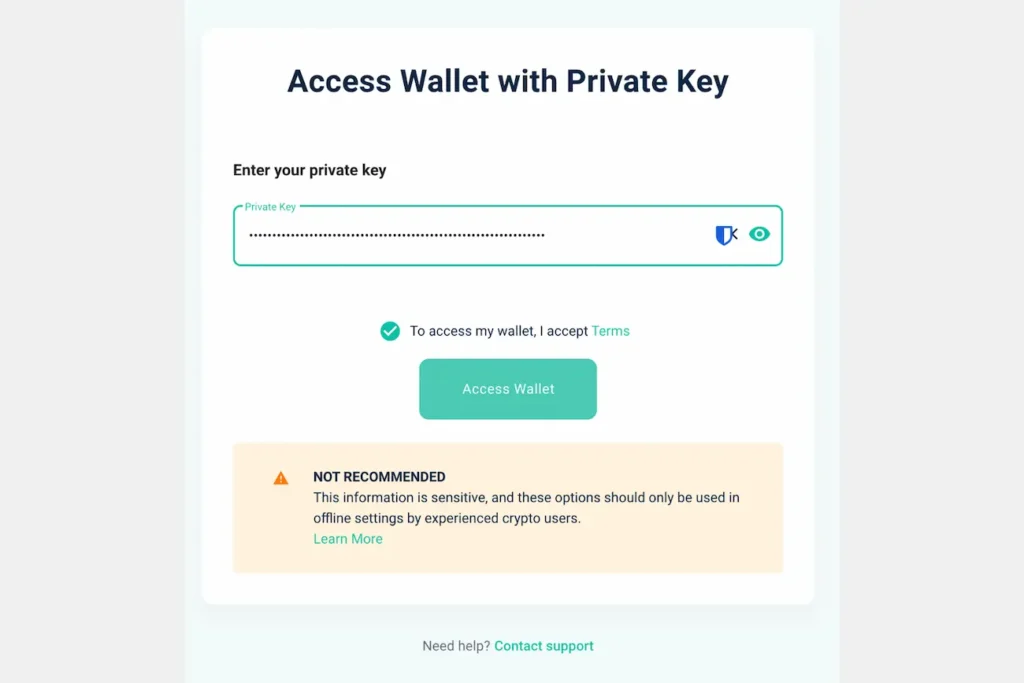
After recovering with a private key, treat that private key as retired — never use it again. Move your funds to a fresh wallet right away.
Recover MEW with Keystore / JSON File + Password
You’ll need your keystore file with the .json extension. Here’s how to use it:
- Go to the official MEW website and select “Software,” then the last recovery option.
- Choose “Keystore.”
- Click “Select Wallet File” and locate your .json file.
- Enter your password.
- Click “Access Wallet.”
- If the password is correct, you’ll be able to view your balance and perform transactions.
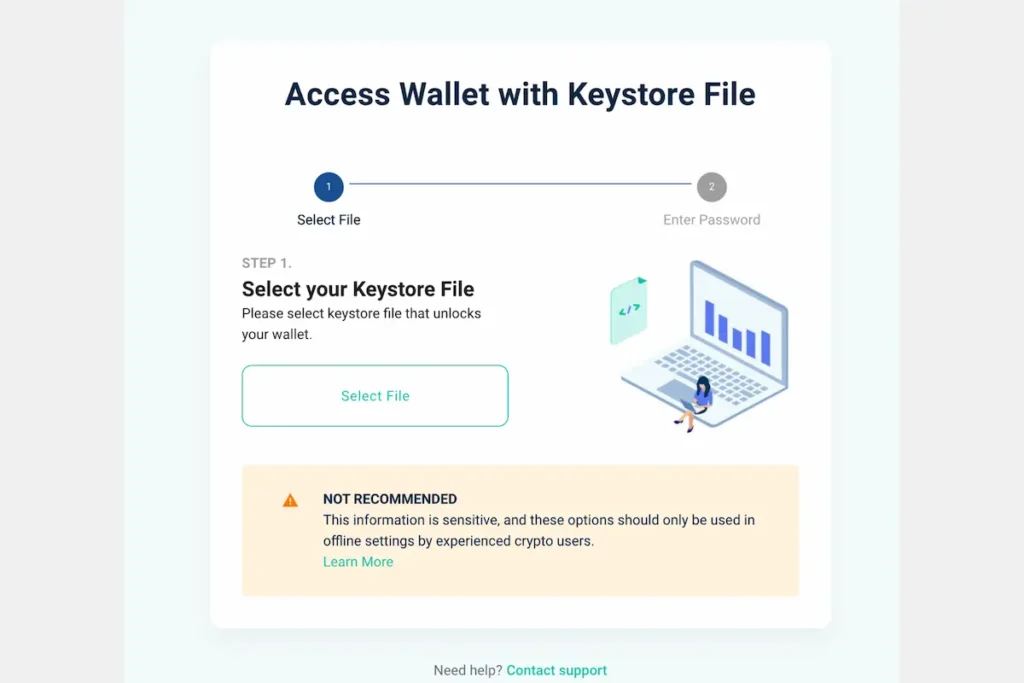
If the wallet file is corrupted or the password is gone and you’re drawing a blank, that’s okay — it may still be possible to restore access with professional help. Default locations for keystore files:
- Windows: C:\Users\<YourUsername>\Downloads\
- MacOS: /Users/<YourUsername>/Downloads/
- Linux: /home/<YourUsername>/Downloads/
Recover MEW Wallet Through Hardware Wallet
This is the safest method and minimises the risk of phishing attacks. Here’s how to go about it:
- Plug your hardware device into your computer and enter your PIN.
- Open MEW and choose the hardware wallet option.
- Select your specific device and follow the on-screen steps. Each hardware wallet works slightly differently — connect Ledger via Bluetooth or USB, while BitBox can only be connected through USB.
- If your funds don’t appear, you may need to set the correct derivation paths for Ethereum: m/44’/60’/0’/0 or m/44’/60’/0’
Having Troubles During MEW Recovery?
This is more common than you’d think. Here are the most frequent issues people encounter, and what you can do about each one.
Invalid MEW Seed Phrase?
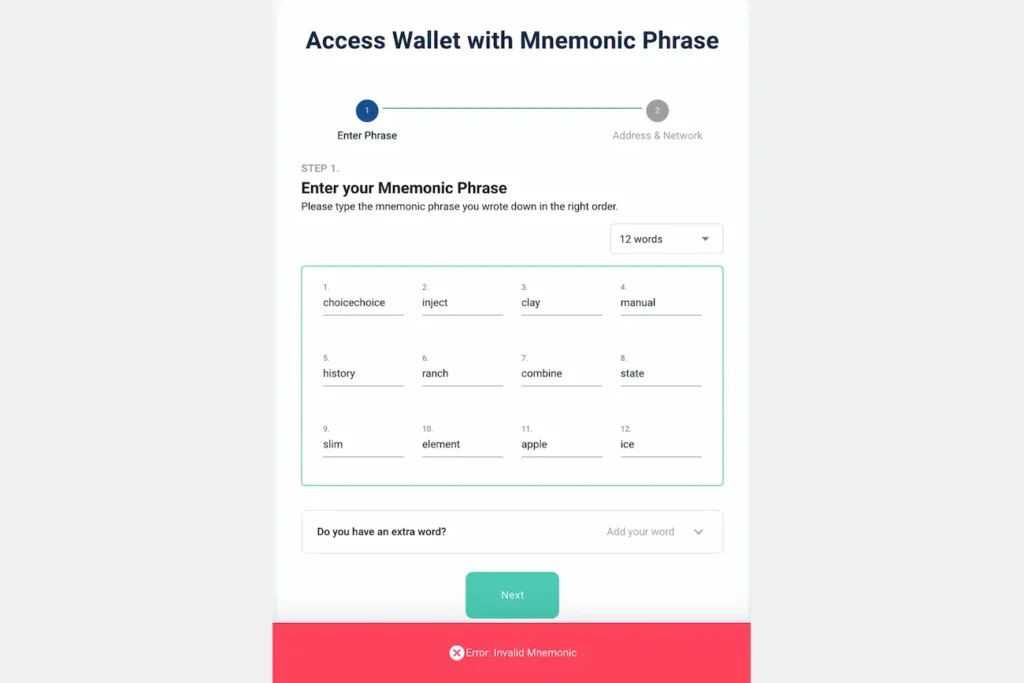
If your seed phrase isn’t being accepted, the first step is to verify each word against the BIP39 wordlist — a set of 2,048 unique words used to generate seed phrases. Look carefully for typos, or try to identify the right match if a word or two seems close but not quite right. Sometimes the memory comes back with a little prompting.
If more than four words are incorrect or unknown, recovery becomes time-consuming — and if the entire phrase is lost, unfortunately there’s no path back in without specialist tools. Professional recovery services can verify phrases using fast computing software to maximise the chances of a result.
Here is more on how to find the missing parts of your seed.
Forgotten or Lost JSON File Password?
A JSON password typically consists of letters, numbers, and special characters. Memory fades over time, especially with older wallets — and that’s completely understandable. Before assuming it’s lost, search thoroughly: old notebooks, password managers, emails you sent to yourself, and any records from around the time you created the wallet. Try passwords you may have used back then.
If you’ve tried everything and you’re still stuck, custom brute-forcing tools can attempt reconstruction based on whatever clues you do have.
Corrupted Wallet Keystore File?
There are several reasons a wallet file might be invalid — incomplete downloads, file errors, or accidental renaming. Sometimes you’ve done everything right and things still aren’t clicking. That’s why it’s important to keep multiple backups and never work with the original file directly.
If the file won’t open, try recovering via your 12-word seed phrase instead. If neither option is working, a specialist may still be able to examine the file and recover access — that’s not necessarily the end of the road.
Tokens Missing from MyEtherWallet?
Don’t panic — your Ethereum is still on the blockchain. MEW only displays popular tokens by default. Less common tokens like USDT, LINK, or custom tokens need to be added manually. To confirm your tokens still exist, copy your wallet address and check it on Etherscan — your full holdings will be listed there.
If you’re using a hardware wallet to restore access to Ethereum, you may need to scan through all associated addresses. A free consultation can help clarify what’s realistically possible in your specific situation.
MyEtherWallet Not Showing Balance?
When MEW shows a zero balance, don’t stress — your funds are still safe on the blockchain. This almost always happens because you’re viewing the wrong address or connected to the wrong network. Make sure you’re using the correct wallet address and the proper derivation path. There’s a clear path back in once those are aligned.
When to Consider a Professional Recovery Service
If you’ve worked through every option above and you’re still stuck, specialist wallet recovery services do exist. They typically work on cases involving partial seed phrases, forgotten JSON passwords (where you can provide some clues), and corrupted keystore files. No recovery service can ever guarantee results — any that do should be treated with caution.
Before engaging any third party, there are a few things worth knowing. First, this space attracts scammers. Be sceptical of any service that contacts you first, promises a guaranteed result, or asks for your full seed phrase or private key upfront — a legitimate service will explain their process clearly before any credentials change hands. Second, look for independently verifiable reviews and a transparent description of their methodology. Third, understand what you’re agreeing to: check whether there’s a fee structure, what data they will and won’t retain, and whether they operate under any formal terms.
A free initial consultation from a reputable service should cost you nothing but time — and knowing where you stand is always worth it, even if the answer turns out to be that recovery isn’t possible.
How Crypto Recovers Recovered a JSON Wallet Password
Forgotten JSON file passwords are among the most common recovery scenarios we encounter — and the most emotionally charged. People don’t lose sleep over a password they set eight years ago. Life moves on, and the wallet sits quietly in a downloads folder, waiting.
That’s exactly what happened with a client who came to us in 2025. He’d bought Ethereum in 2017, stored it in MyEtherWallet, and moved on with his life — assuming he’d open it comfortably after retirement. When ETH surged in 2021, he finally looked. The seed phrase was gone, the password wasn’t coming back, and a distant problem became suddenly urgent. He sat with that anxiety for four more years before finding us.
There was nothing to pay upfront. He came in, sat down with our team, and talked through the situation in person — which, for someone who’d spent years assuming his funds were simply lost, was a relief in itself.
The recovery took close to a month. As it turned out, his password was a modified version of one he’d always used for social media — the same base, with extra symbols and letters bolted on, the kind of tweak people make when forced to be “more secure” and then immediately forget. He remembered the base. Our tools worked through the likely permutations until the right combination surfaced. Ten Ethereum, untouched since 2017, became accessible again.
If you have a keystore file and a password you can almost remember, that’s more to work with than you think. A free consultation costs nothing.