Alta Wallet, a Japanese multi-coin app for Bitcoin, Ethereum, Litecoin, and Dogecoin, ended service on July 14, 2018, and the app has not worked since.
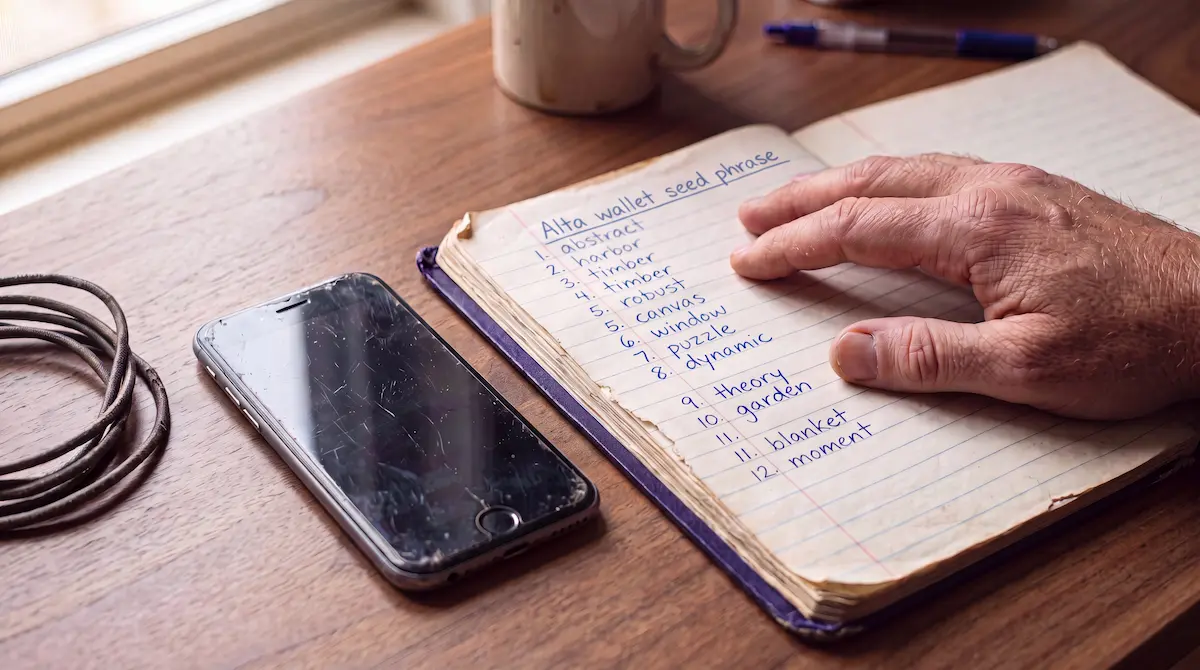
Your coins were never inside it: Alta only stored the keys to them, your 12-word passphrase is the backup for those keys, and the coins themselves still sit on the blockchain — which is why Alta Wallet recovery runs through those 12 words, not the dead app.
But two moves make things worse, and they’re the two people try first: wiping the old phone, and downloading the app from a mirror site. One destroys your last copy of the keys; the other hands them to a scammer.
What actually happened to Alta Wallet
Alta Wallet launched in 2016 as a mobile app from Japan, built by Cardano Labo and marketed as the country’s first beginner-friendly multi-coin wallet. It supported Bitcoin, Ethereum, Litecoin, and Dogecoin, with Dash added on Android, and it ran in Japanese, English, Chinese, and Vietnamese.
It didn’t last two years. The team announced the end of service on July 14, 2018, and the official notice told users one thing: move your assets by importing your passphrase into another wallet. The wallet they pointed to was Infinito Wallet, built by the same team after a rebrand.
Here’s the part no old guide mentions: Infinito Wallet has since shut down too. If you follow the official 2018 advice today, you land on a second dead app. That sounds worse than it is. Alta’s 12 words follow the same standard that current wallets still use, so the destination app never mattered. The passphrase did, and it still does.
Before anything else: protect what you still have
A wrong move at this stage can close a door that’s still open. Secure your material first:
- If the old phone with Alta on it still exists, don’t factory reset it, don’t sell it, and don’t hand it to a repair shop. Even when the app no longer opens, its data can still contain your wallet keys. Charge it, put it in airplane mode, and set it aside.
- Search for the paper. Alta made you write down 12 words when you created each wallet. People find that note years later in notebook margins, between book pages, in a photo of a screen, in an email draft to themselves.
- Write down every word and fragment you find, in the order you find them, before you test anything.
- Never type those 12 words into a website or a chat message — no exceptions. Anyone who asks you to is after your coins.
What you still have decides the route back
The scenarios below run from strongest position to weakest. Find yours.
You have the complete 12-word passphrase
This is the best position to be in. You don’t need Alta, and you don’t need Infinito. Install a current, reputable wallet app that supports your coins, choose ‘Restore wallet’ or ‘Import wallet’, and enter the 12 words.
Two things are worth knowing in advance. First, if you created more than one wallet inside the Alta app, each one had its own unique passphrase — restore each separately. Second, a zero balance after restoring doesn’t prove your words are wrong. Different apps rebuild addresses along different routes, called derivation paths, the trail a wallet follows from your 12 words to your addresses. An older phrase sometimes needs a second app or a manual path setting before the balance loads. Check the receiving address against a block explorer before you conclude anything. If your coins were Bitcoin, the options for this situation are covered on our Bitcoin recovery page [link: /wallet-recovery/bitcoin-btc/].
Once the balance appears, move everything to a fresh wallet you set up today. A backup written in 2016 or 2017 has had a decade of chances to be photographed or copied.
The passphrase is rejected, or words are missing
Often still workable, and here’s the math behind that claim. Each of the 12 positions holds one word from a fixed list of 2,048. One unreadable or missing word means 2,048 candidates, which software checks in seconds. A built-in checksum — a mathematical fingerprint in the final word — rules out most wrong combinations automatically, which shrinks the search further. With the remaining words intact, systematic recovery can handle a phrase missing up to 4 words, or a phrase the new wallet rejects because of a wrong word or wrong order.
Whether a case is workable depends on how much other information exists. Bring everything: the fragments, the order you think they were in, even words you’re unsure about.
No passphrase, but the old phone or a phone backup survives
A narrower path, but a real one. Alta kept the keys on the device, so a phone that was never wiped — or a full backup of it — can still hold recoverable wallet data, even when the app itself won’t start. This is delicate work: every use of the device risks overwriting what’s left. Leave the phone alone and get the situation assessed before anyone experiments on it.
You have nothing
Then the honest answer is that no route exists. Twelve unknown words from a 2,048-word list produce a search space beyond any computer on earth, and no legitimate service can rebuild a passphrase from nothing. We’d rather tell you that clearly than have you spend time and money on someone who claims otherwise.
Alta Wallet is not ALTA the token
The two names look almost the same, so check which one you mean. Alta Wallet was the Japanese mobile app this guide covers. ALTA (Alta Finance) is an unrelated token tied to a real-estate finance project. If you hold ALTA tokens in a working wallet, nothing on this page applies to you. Your situation is about a token, not a discontinued wallet.
Do not download Alta Wallet today
Third-party download sites still rank in search results and still list Alta installers. Skip them. The servers behind the app shut down in 2018, so a freshly installed copy can’t sync balances or send anything, and an installer from a mirror site is exactly the kind of file that carries malware aimed at people searching for old crypto.
The same caution applies to recovery offers. A service that charges upfront or promises a guaranteed result is announcing what it is: legitimate recovery work doesn’t charge before results and doesn’t guarantee outcomes, because outcomes depend on what you still have.
How to recover an Alta wallet: the steps
Recovery runs through your 12-word passphrase, not the dead app. In short: secure any material you still have, restore the 12 words into a current wallet, and move the coins to a fresh wallet you control. Each step is unpacked further down the page.
- Protect your material. Leave the old phone untouched and gather every note that could hold the 12 words.
- Restore the passphrase. Install a current, reputable wallet, choose ‘Restore wallet’, and enter the 12 words. If you created several wallets inside Alta, restore each with its own passphrase.
- Check a zero balance before you assume the phrase is wrong. Look up an old address on a block explorer. An empty screen in one app is often a derivation-path issue.
- Handle a rejected or incomplete phrase systematically. Up to 4 unknown words is often workable. Don’t guess by hand.
- Sweep. Once the balance loads, move everything to a new wallet you set up today.
After you regain access
Set up the new wallet yourself, on your own device, and write its new recovery phrase on paper — or better, stamp it into metal, since paper burns, fades, and tears. Keep it offline: no photos, no cloud notes, no password managers holding seed words. The people reading a page like this one in 2036 will be the ones who skipped this step in 2026.
If your Alta situation involves rejected words, a partial phrase, or an old phone you don’t want to risk damaging, Crypto Recovers offers a free assessment: describe what you have and we’ll tell you honestly what’s technically possible before any commitment is made. No Cure No Pay, with a standard fee of 20% of the recovered amount, only on success. We work on access, never on your money: at no point do we hold or control your funds. When a recovery succeeds, you move the coins yourself into a new wallet you created, and you transfer the agreed percentage yourself during the handover session, with both of us present.