
Blog
Forgot Daedalus Spending Password: How to Recover It

In short
If you forgot your Daedalus spending password, restore the wallet from its correct recovery phrase and choose a new one; the old password never needs recovering. Verify the phrase before deleting any wallet data. Without the phrase, preserve the original Daedalus data folder: surviving encrypted keys may allow remembered password variations to be tested on a copy.
If you're searching how to recover the Daedalus spending password, the first question is not "what can I reset?" but "what material still exists?" Daedalus is a full-node Cardano wallet, and the spending password encrypts the wallet's secret keys on your computer. Depending on what you still have (the recovery phrase, the wallet data on the machine, or a backup) there are very different routes, and only one of them is a reset.
This guide covers what the Daedalus spending password is, how to set it up or change it, how to reset it with your 24-word recovery phrase, and what a password search (brute force) can and can't do if you've forgotten both the password and the phrase.
What's the Daedalus spending password?
When you create a Daedalus wallet, you choose a spending password. Daedalus uses it to encrypt the wallet's secret keys in the wallet's local data on your computer, and you need it every time you send ADA, delegate to a stake pool, or change security settings. ADA is the native token of Cardano, and Daedalus downloads a full copy of the Cardano blockchain to validate it.
That means two things:
- The password is not a login. No server can reset it, and Daedalus cannot retrieve it.
- The encrypted keys stay on your machine. If the wallet data still exists, that data is recovery material, not a dead end.
Because you type it only when you send, delegate or change settings, a long spending password is easy to forget, especially on a wallet you rarely open.
How to set up or change the Daedalus spending password
You set the spending password when you create or restore a wallet: Daedalus asks for a wallet name and a spending password, which you type twice. It must be at least 10 and at most 255 characters long. Choose a long password rather than a short, clever one, and keep it in a password manager or another safe place.
If you remember the current password, changing it takes a minute:
- Open Daedalus and select the wallet.
- Open the wallet's Settings tab.
- Next to Password, which shows when it was last updated, click Change.
- Enter the current password, then the new password twice.
You must know the current spending password to change it. If you don't, the next section is the route.
Forgot your Daedalus wallet password? Restore it with the seed phrase
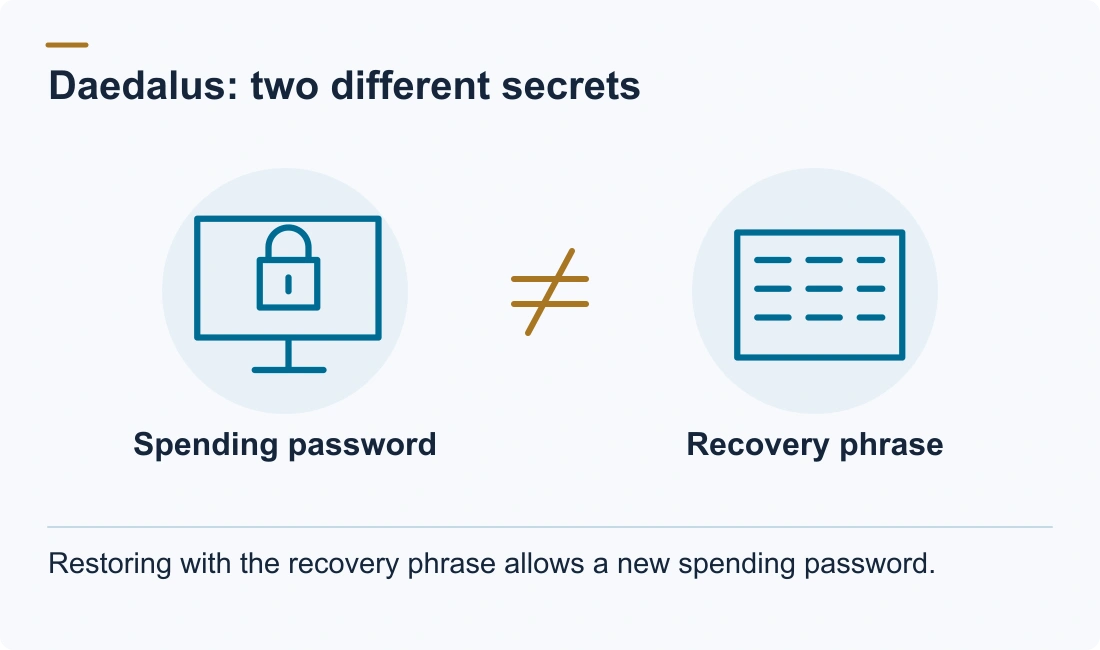
The recovery phrase, also called the seed phrase, is the master backup: 24 words for a Shelley wallet, the current type, and 12 words (or 27 for a paper wallet) for an old Byron legacy wallet. With it, the spending password becomes irrelevant:
- Make sure you have the phrase before touching anything. In the wallet's Settings, "Verify wallet recovery phrase" checks the words against this wallet without changing anything.
- Copy the Daedalus data folder (see the next section) to a safe place. If the phrase turns out to be wrong, that copy still holds the encrypted keys.
- In Daedalus, delete the wallet (Settings > Delete wallet, at the bottom). Daedalus asks you to confirm that the recovery phrase is the only way back in, and to type the wallet name.
- Choose Add wallet > Restore, pick the wallet type that matches your phrase, enter the words, and set a new spending password when asked.
Deleting the wallet in Daedalus doesn't touch your ADA: the funds are on the blockchain. It only removes the local copy, and restoring from the phrase rebuilds the wallet with a new password. Daedalus won't restore a wallet that is still in its list, which is why the old copy goes first. Its own help center asks you to keep the existing wallet and data intact until you have confirmed the backup, which is what steps 1 and 2 do. Because Daedalus is a full node, a restore takes time, so don't judge it by the first minutes.
How to restore a Daedalus password without the seed phrase
No phrase and no backup usually sounds like the end, but with Daedalus the wallet data on the machine itself matters. Daedalus keeps the wallet's encrypted keys on the machine, in older versions as a secret key file and in current versions inside the wallet database in the Daedalus data folder:
- Windows:
%APPDATA%\Daedalus Mainnet - macOS:
~/Library/Application Support/Daedalus Mainnet - Linux:
~/.local/share/Daedalus/mainnet
These are the default Mainnet locations; a custom data directory or an older installation may use a different path. If Daedalus opens, its diagnostics screen shows the actual state directory. Preserve older Daedalus folders too, as they may contain earlier wallet data.
The encrypted wallet data provides a target for password testing:
- You remember the password or enough of it: the encrypted keys can be unlocked, and that is a straightforward case.
- You remember fragments or your password habits: a structured password search, a targeted form of brute force, against a copy of the wallet data can be realistic.
Two practical rules: work on a copy of the Daedalus data folder, never the original, and never upload wallet files or password guesses to a website that promises to "recover" them. There is no email reset and no support override either: Daedalus support says it never needs your recovery phrase, private keys or spending password.
DIY Daedalus password recovery methods
Before any password work, the phrase is the cheapest route back in, and trying your own password ideas costs nothing:
- Check the places you would actually store it: notebooks, password managers, old emails, cloud documents, photo albums.
- Check older computers. If the wallet is still in Daedalus on another machine, that copy has its own spending password, set when the wallet was created or restored there, and it may be one you remember.
- Check backups of the Daedalus data folder itself: that copy is the same material as the live wallet data.
- Try the passwords you used around the time you created the wallet, and variations of them, in the Change password dialog. Daedalus rejects a wrong current password with an error and changes nothing. Keep a note of each one you try.
When to ask Crypto Recovers for help
Professional work matters in two situations: a partial or uncertain phrase, and local wallet data protected by a forgotten spending password. For a partial phrase, Crypto Recovers works with up to four missing words; our guide to recovering missing seed words explains what that search needs. In both cases the work happens on copies, offline, under a written agreement, and the assessment tells you before you commit whether the case is realistic. What no one can do is rebuild the wallet without a recovery phrase or wallet data. Anyone who promises that is not being straight with you.
Your ADA stays out of our hands throughout: we never hold it, and the fee is never paid out of it. If the work succeeds, you open the wallet yourself, send the ADA to a new wallet you created, and pay the agreed fee separately, according to the contract. No recovery, no fee. If you want to talk through your case first, contact us, and don't send your recovery phrase or password in a message.
Daedalus stuck syncing or crashing on launch? That's a separate problem from a forgotten password; see the Daedalus troubleshooting guide.
FAQ: Daedalus password recovery
What is a Daedalus wallet spending password?
A password you choose when creating or restoring a Daedalus wallet. Daedalus uses it to encrypt the wallet's secret keys on your computer, and you need it to send ADA, delegate, or change security settings. It isn't stored by Daedalus or on any server.
How can I recover my forgotten Daedalus wallet spending password?
You can't retrieve it, but you can replace it: restore the wallet from your recovery phrase (24 words for a Shelley wallet) and set a new spending password. Without the phrase, the encrypted wallet data on your computer is the recovery target.
What happens if I forget my Daedalus spending password?
You can still open Daedalus and see the wallet, but you can't send ADA, delegate or change its security settings. The ADA stays on the blockchain, and you regain control of it by restoring the wallet with the recovery phrase or by recovering the password.
Can I reset my Daedalus wallet password?
Only by restoring the wallet from the recovery phrase; there's no server-side reset. If you still know the current password, you can change it in the wallet's Settings without restoring.
How can I change my Daedalus spending password?
If you know the current one, open the wallet's Settings tab, click Change next to Password, and enter the current password and the new one twice. No restore is needed.
Can Crypto Recovers assist with recovering my Daedalus spending password?
Yes, when there is material to work with: part of the password plus the wallet data on your computer or in a backup, or a seed phrase missing up to four words. If the password, the phrase and the wallet data are all gone, no one can recover the wallet.
What should I do if I've forgotten my Daedalus wallet password and recovery phrase?
Look for the phrase in notes, backups and older computers first, and leave the Daedalus data folder untouched. If the wallet data exists, its encrypted keys can be tested against password candidates built from what you remember. If nothing exists (no phrase, no wallet data, no backup), the wallet cannot be rebuilt, and no honest service will claim otherwise.
I still have Daedalus on my computer but forgot the password — is the wallet recoverable?
Yes, if you have the recovery phrase: restore the wallet and set a new password. If not, the encrypted wallet data is still on the machine, and its keys can be tested against password candidates using a copy of that data; remembered details can help focus the search.
How do I find my Daedalus password in Cardano?
You can't look it up: Daedalus never stores the spending password, only keys encrypted with it. You can restore from the recovery phrase and set a new password or, without the phrase, have the encrypted keys tested against candidates built from what you remember.