Your Coinbase Wallet app has a new name, a new home screen, and possibly a shorter list of coins than you remember. Despite the change, your crypto is still there. The Coinbase classic wallet closure took effect on August 15, 2026, the Base app replaced the old one, and a few networks stopped being displayed. Whether you need to do anything depends on which crypto you own.
In short
- The classic Coinbase Wallet app closed on August 15, 2026, and the Base app replaced it. For a traditional recovery-phrase wallet, the same phrase should restore the same wallet accounts and addresses, though some assets may require the right account, network, derivation path, or compatible wallet to appear.
- Bitcoin, Solana, Ethereum, or a token on a supported EVM network? It’s all still there — though Bitcoin and Solana may need switching on with an “Enable Now” prompt to appear.
- Dogecoin, Litecoin, XRP, Stellar, Bitcoin Cash, Ethereum Classic, or another dropped network? The coins are safe on the blockchain, but the Base app no longer shows them. Import your 12-word recovery phrase into a wallet that supports that chain.
- If your 12 words still aren’t on paper, do that today, while you’re signed in. Coinbase’s classic wallet closing notice has the official version; the steps are below.
- Nobody legitimate will contact you about this. Any call, text, or email offering to help you migrate is a scam — including the ones that hand you a recovery phrase instead of asking for yours.
- None of this touches coinbase.com or the Coinbase app. That’s the exchange, where Coinbase holds the keys.
Your crypto didn’t move — the app did
Coinbase Wallet is self-custody: you hold the keys through a 12-word recovery phrase, the master key that reopens your wallet in any compatible app. When the classic version closed, the Base app took over, and your phrase, addresses, and balances carried across untouched.
A new name and a new home screen are not signs that something broke or someone got in.
Wallet or exchange? Check this first
The Coinbase Wallet app is not coinbase.com and not the Coinbase app. The exchange is custodial (Coinbase holds the keys), while the wallet is the opposite. If your crypto sits on the exchange, this closure doesn’t touch you. Read our Coinbase Wallet recovery guide to help identify which product you’re locked out of.
Write down your 12-word recovery phrase before doing anything else
Everything below depends on having the phrase.
- Open the app while you’re still signed in. You can only reveal the phrase from inside an open wallet.
- Look for the recovery phrase or backup option in the settings, under security or privacy. The wording shifts between app versions, so look for the words “recovery phrase” wherever they appear.
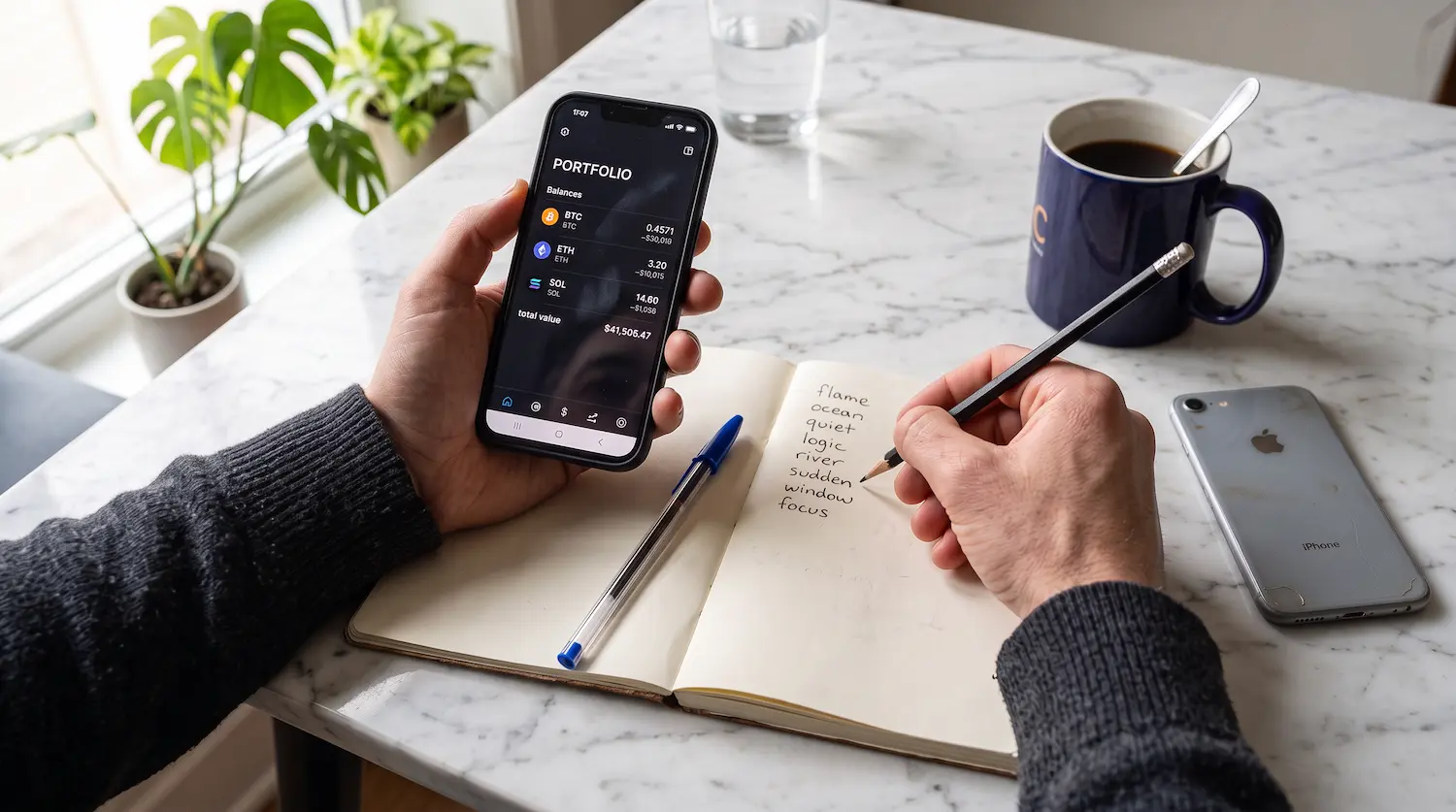
- Enter your PIN or use Face ID or your fingerprint when the app asks, then copy all 12 words onto paper, in order, and check each one twice.
- Store it offline: paper or stamped metal, two copies, two places.
Write it straight onto the paper. Don’t copy it, screenshot it, or type it into a notes app first. Anything you put on a phone or computer can be synced or read by something else. And never enter your seed phrase into a website: no wallet checker, no “validator,” no migration page, no support form. No legitimate support agent or recovery service should ever need your complete recovery phrase.
If the phrase may already be exposed
If your 12 words have been typed into a suspect site or an untrusted device, consider them permanently compromised. You can’t un-expose a phrase, and a wallet someone else can open is only yours until they get round to it.
Create a new wallet yourself and move the coins across today.
If your coins are on a supported network, do nothing
The Base app supports Bitcoin, Solana, Ethereum, and a set of EVM networks, chains that behave like Ethereum and share its address format. That set is Arbitrum, Avalanche C-Chain, Base, BNB Chain, Optimism, Polygon, and Zora. Those balances are unaffected.
In Base mode, Bitcoin and Solana may need switching on by hand: look for an “Enable Now” prompt before you conclude anything is missing. If your Bitcoin address looks completely different from your Ethereum one, it’s because a single recovery phrase generates a separate address for every chain.
How to reach your unsupported crypto
The networks the Base app dropped
- Dogecoin (DOGE) and Litecoin (LTC), which the classic app supported and the Base app does not
- Bitcoin Cash (BCH), Ethereum Classic (ETC), Stellar (XLM), and XRP
- Blast, Celo, Core DAO, Flare, Fantom Opera, Gnosis, NEAR, Plasma, Ronin, Sei, Sonic, Story, Unichain, VeChain, and zkSync Era
- Any custom network you added yourself
Read that third line twice if you’re technical. Several are EVM chains, and being EVM isn’t enough: the Base app supports a specific list of networks. That list can change, so check Coinbase’s current supported-networks page before treating a chain as dropped.
Import your phrase into a wallet that supports the chain
Your recovery phrase still controls those coins, at the same addresses, on every chain including the hidden ones. Import your 12 words into a self-custody wallet that supports the chain you need, and the coins load straight from the blockchain.
There’s no deadline. Coinbase says your phrase works indefinitely.
Picking the destination wallet
- Unsupported EVM chains — an EVM wallet such as MetaMask or Rabby. Import the phrase, add the network, and the balance appears once the wallet looks at the right chain.
- Non-EVM chains like Dogecoin, Litecoin, and Bitcoin Cash: you need a wallet built for that chain, and not every one accepts a standard 12-word phrase. Even one that does won’t necessarily rebuild the same address, since apps follow different standards.
- XRP and Stellar are the awkward ones. Both handle secret keys differently from Bitcoin-style chains, and a wallet for either may not offer a 12-word import at all. Confirm that a wallet supports restoring from your kind of recovery phrase before you count on it, and check the address it produces against the one you already know.
- Either way — download only from the official site or store listing, then check the address and balance against a block explorer rather than trusting one app’s screen.
There’s a catch: every transfer costs a fee, and the fee is paid in the chain’s own coin, ETH on Ethereum, for example. If your address holds only tokens, top it up first or nothing will move.
If you never had a recovery phrase
Some readers are about to hunt through settings for 12 words that were never created.
Coinbase also offers a smart wallet, now the Base Account. It’s made with a passkey like the fingerprint or face unlock your phone already uses, and has no recovery phrase at all. Access comes from that passkey and wherever it syncs. Smart wallets cover a handful of low-cost chains, and don’t cover Bitcoin, Solana, or custom networks the way a traditional wallet does.
If the app never showed you 12 words, that’s what you have, and none of the import steps apply. If you have both kinds, they sit at different addresses: moving crypto between them means sending a real transaction, with a fee. Passkey lockouts have their own routes, covered in our Coinbase Wallet recovery guide.
Nobody legitimate will contact you about this
Assume every message about the closure is a scam, because a shutdown announcement is the best cover a crypto scammer gets all year.
Coinbase states it will never call or text you to give you a new seed phrase or an address to move funds to, and never asks for your password or 2FA codes.
The scam that asks for your phrase
Watch out for fake Base migration sites, “verify your wallet” pop-ups, and people posing as support. No real update asks you to type 12 words into a web page.
The scam that gives you a phrase
This is the dangerous one, because it doesn’t ask for anything.
In March 2025 a phishing wave went out with the subject line “Migrate to Coinbase Wallet,” claiming Coinbase was moving everyone to self-custody after a class action lawsuit. It told recipients to download the genuine app, then handed them a recovery phrase, called it their “Coinbase Identity,” and told them to import it. The attackers already knew and controlled that phrase, so every coin moved into the wallet was theirs the moment it landed. BleepingComputer documented the campaign: the emails passed SPF, DMARC, and DKIM checks and landed in normal inboxes.
Even if a caller knows your name, be even more suspicious. In May 2025 Coinbase disclosed a data breach in which criminals bribed overseas support staff and walked off with customer records. Passwords and private keys weren’t taken, but a name, address and phone number are enough to sound convincing. Your details may already be sitting on a list someone bought, so hang up and open the app yourself.
One rule covers both: a recovery phrase you didn’t generate yourself, in a wallet you didn’t create yourself, is not your wallet.
What trips people up
The phrase doesn’t import cleanly
One wrong word, two words swapped, or one word missing, and the wallet either rejects your phrase or opens an empty one. Write the words down exactly as the wallet gave them to you, in the same order. To check, open the app while you still can and compare your paper against the phrase, word by word.
The cloud backup is locked
Coinbase Wallet let you save an encrypted copy of your keys to Google Drive or iCloud, sealed with a password you chose. Plenty of people took that option and never wrote the phrase down, because it felt like the job was done. Then the password goes.
The file is in the drive, the coins are on the blockchain, and the password is the only thing in between — a different problem from a lost phrase, and a more workable one. Start by looking for the password in your password manager, your browser’s saved passwords, and any old notes.
The wallet imports but shows nothing
A wallet that checks only one chain, or one derivation path, won’t display coins living elsewhere. A derivation path is the route a wallet follows to find your accounts, like a street address for your coins, and different apps take different routes from the same phrase. Look for “advanced options” or a custom derivation path on the import screen. Switching often helps a “missing” balance appear.
Only your first wallet held DOGE, LTC and XRP
It could be a bit tricky if you created more than one wallet inside the app. Coinbase supports Bitcoin, Dogecoin, Litecoin, Ethereum Classic, Stellar, and XRP only in the first wallet you created, never the ones you added later. A second wallet never had a Dogecoin address at all. In this situation you will need to go back to your original wallet’s phrase.
Your NFTs may not show
The app displays a limited range of NFT networks, standards, and media types — broadly, image and GIF pieces on Ethereum and Polygon. Anything outside that can go blank even though the token is untouched on-chain.
Check the chain directly. Look the contract up on a block explorer, or open the collection in a marketplace, and you’ll see whether you still hold it.
Staked and locked positions behave differently
Anything staked, bridged, or lent may not show as an ordinary balance. Go back to the protocol you used and manage them there.
When this won’t work
If you never saved your recovery phrase and you also lose the app (new phone, wipe, sign-out with no backup), there’s no second copy of the keys anywhere. Coinbase never held them, and no tool or service can rebuild 12 words from nothing.
If you can’t manage the move to another wallet yourself, professional help is an option. Crypto Recovers can check an invalid seed phrase, reconstruct a partial one, or work through other access problems. We take nothing upfront and never control your funds. Our work is technical wallet access reconstruction for people who still own their crypto.